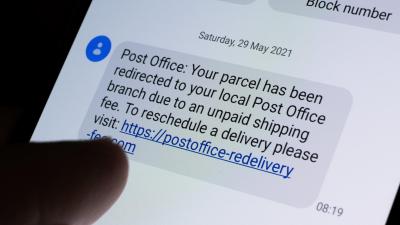
phishing
Communicate
Gmail Labs Adds Anti-Phishing Key
4:30AM Adam Pash | Lifehacker readers have great phishing IQs, but if you’d like a little extra reassurance before clicking through to your PayPal account, for example, Gmail Labs’ new “Authentication icon for verified senders” feature adds an extra bit of reassurance. More »
Communicate
Iconix Truemark Email Identification Verifies Senders, Defeats Phishers
7:00AM Jason Fitzpatrick | Windows only: Truemark Email Identification is a simple tool in the defence against fraudulent emails. Whether you’re in desktop or web-based email, you’re given instant visual verification that an email is legitimate. While there’s no substitute for a healthy dose of paranoia with a chaser of concern for privacy and security, Iconix Truemark complements any email setup. Truemark adds a small icon next to any corporate or web service’s name, but only if it’s been checked against a list of domain keys and sender IDs maintained by Iconix. Mouse over the icon and you get more detail; don’t see an icon, you know Amazon might not actually need a password reset. Truemark currently works with a variety of webmail applictions via Firefox and Internet Explorer plugins, including Gmail, AOL Mail, Hotmail, Yahoo Mail and with client-based email like Outlook 2003/2007 and Outlook Express. Iconix Truemark is freeware, with plugins available for Firefox, Internet Explorer, and Outlook, on Windows only. Iconix Truemark [via gHacks] More »
Fix
Gmail Is Secure, Says Google
1:45AM Adam Pash | If you’ve read recent speculation that a Gmail vulnerability may be lurking in the depths of your email account, Google wants to assure you that Gmail is secure as ever. According to the post on the Google Online Security Blog, stories claiming a Gmail vulnerability was at fault in recent domain thefts are inaccurate; instead, Google says a phishing scheme was to blame. More »
Fix
9:12PM Angus Kidman | A new local survey from longstanding free antivirus favourite AVG gives some interesting insights into where Australians get caught out online. Now, this should be put into context: the survey found that 39% of Australians had been a victim of some kind of ‘cyber theft’, which is less than half of us. But which were the most common problems?
More »
Where Australians go wrong online
9:12PM Angus Kidman | A new local survey from longstanding free antivirus favourite AVG gives some interesting insights into where Australians get caught out online. Now, this should be put into context: the survey found that 39% of Australians had been a victim of some kind of ‘cyber theft’, which is less than half of us. But which were the most common problems?
More »
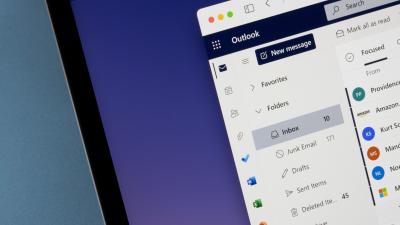
Check Outlook Messages for Fakes Without Opening Them
5:00PM Kevin Purdy | Most spam and phish-bait emails are easy to spot, but once in a while, some creative subject can leave you guessing whether a message is legitimate or not. If you’re an Outlook user, the Productivity Portfolio blog recommends never opening those messages (and potentially proving your existence to said spammers); instead, use the “Message Options” dialogue, available with a right-click on any message, and check the reply-to address and header information for signs of fakery, such as slightly-spoofed email addresses (wa1mart.com, paypaI.com, and the like) and odd entries in the To: and X-Mailer field. You’ll get a better chance of stopping the spam flow, and the satisfaction of not getting fooled again. Using Outlook Message Options [Productivity Portfolio] More »