colours
Design
Color Scheme Designer Is A Diverse Palette Creator
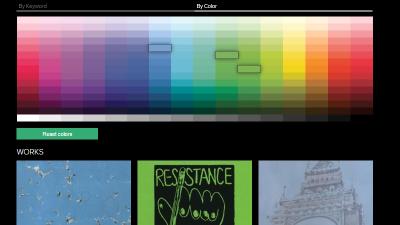
8:00AM Jason Fitzpatrick | If you’ve tried out web-based palette generators and been underwhelmed, you might want to take Color Scheme Designer for a spin. It combines the features of many other generators into a unique, easy-to-use palette creator. More »
Work
MouseZoom Enlarges Text And Shows Color Values
11:30PM Jason Fitzpatrick | Windows only: MouseZoom is a tiny portable tool that functions both as a screen magnifier and a colour picker. More »
Design
ColorRotate Creates Design Colour Palettes
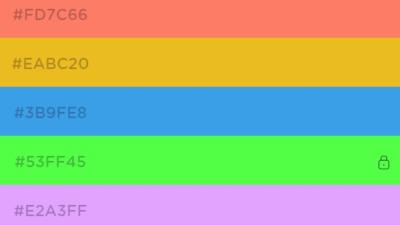
8:00AM Jason Fitzpatrick | Need a new colour palette for your next design project? ColorRotate is a colour palette generator with a heavy dose of eye candy and easy-to-use controls. More »
Design
Mondrianum Integrates Killer Colour Palettes From Peers With Colour Picker
8:00AM Lifehacker US Edition | Mac only: Colour picker application Mondrianum adds Adobe Kuler colour schemes in a plug-in for OS X—choosing killer colour schemes has never been easier. Once installed, using the application is as simple as opening the colour picker in any application that supports choosing colours with the built-in picker, and then clicking the Mondrianum icon on the right. You can search for colour schemes on the Kuler web site, though accessing the colour scheme data requires an internet connection, so you’ll need to be online for it to work—but colour schemes can be saved as Apple colour lists for offline use, making this a great application for anybody trying to find the right colours for their projects.Mondrianum is a free download for Mac, works in most Cocoa apps. If you’d rather create a colour scheme from a picture, check out previously mentioned Colours Pallete Generator, or get colour codes in Firefox with ColorZilla. Mondrianum [via Switching to Mac] More »
Design
Create A Colour Palette From A Single Image
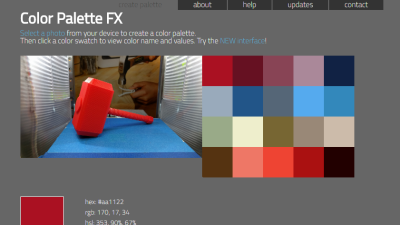
8:00AM Jason Fitzpatrick | Colors Palette Generator turns a picture with a pleasing look into a palette of equally pleasing colours for your web site or design project. You can upload any PNG, GIF or JPEG that is less than 1MB in size and Colours Palette Generator will extract colours from it. The application creates three basic palettes of the light, medium, and dark colours, as well as a grid of 49 shades from the image if you’re not satisfied with the palettes it has created. Once you’ve got the look you like, you can export it as either a Photoshop swatches file or as a CSS stylesheet. Free to use, no sign-up required. Colors Palette Generator [via Download Squad] More »
Design
ColorPad Helps You Grab Colour Values
7:00AM Jason Fitzpatrick | Windows only: ColorPad is a lightweight colour picking application. Weighing in at only 148k and fully portable, it’s no burden at all to tuck it in your flash drive toolkit. The default interface is spartan and will appear a bit dated to users that have grown used to some of the flashier graphics in modern operating systems like Vista. Fortunately if the chunky graphics of the default skin bother you, it’s a completely skinnable app. Appearances aside, ColorPad delivers a ton of features in a tiny package. You can grab the colour value of anything you can see on your screen in hex, dec, and floating point number format. ColorPad has a persistent zoom function and a split screen option. There are numerous keyboard shortcuts that cover the basic functions and allow you to do more advanced tweaks like shift the colour once you’ve grabbed it. ColorPad is freeware, Windows only. ColorPad [via Customize.org] More »
Fix