When you’re busy, it’s easy to forget about your basic needs. You might find yourself skipping a meal, neglecting exercise or spending too little time socialising. To keep yourself on task, here’s a checklist to keep you from neglecting the things you need to do every day.
As we noted last week, email is not the problem — we are. And it’s not just the productivity drain or the antisocial effects of constantly checking our phones and computers for new messages. There are psychological ramifications too. By constantly looking for new information and tasks from other people, we are degrading the importance of the things we want and need to do.
Few people actually love organising their calendars and projects — there’s nothing terribly exciting or sexy about most productivity tools once you actually sit down and start using them. The new Springpad is different, though. It’s a fantastic, easy-to-use web app that helps you organise your life, your ideas and your projects. Once you get started, it’s also a lot of fun to use. Unlike most tools of its ilk, Springpad thinks for you, working like a personal assistant to cut down on the time you spend on the less enjoyable aspects of organising information — meaning you’ll spend less time organising things and more time doing them.
iOS: Most to-do apps are full of things that we have to force ourselves to do. TaskCurrent is an iPhone and iPad app that turns your to-do list into a list of skills to learn, motivational tricks, productivity tips to work into your day-to-day life and more. So while the app models itself after a to-do list, it’s the kind you’ll actually want to use every day.
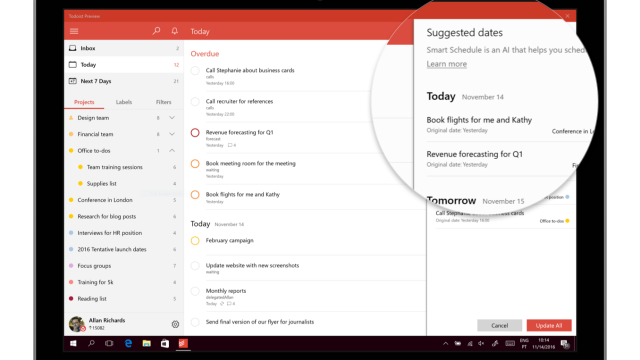
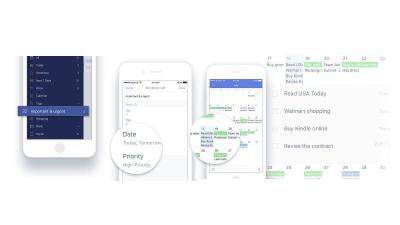
Are you spending too much time prioritising your to-do list only to still have unfinished tasks nagging at the back of your mind (the dreadful Zeigarnik Effect)? One solution may be to ditch the to-do list altogether and instead use task scheduling.
Chrome: Location-specific reminders are a handy way to help remember tasks related to specific places. They’re widely available on smartphones, but if you’re looking for a laptop solution, Geo Notepad is a Chrome app that pings you with a reminder when you open your laptop in a certain area.
We lead busy lives and use our limited time as an excuse to procrastinate and avoid getting things done, but often claiming we don’t have time is a lie. It’s a lie we tell others and ourselves. It helps us believe we’ll never get anything done, and this is a problem. Fortunately, the solution might be as simple as changing your language.
Everyone who works in an office has to deal with meetings. Depending on who’s leading them and the tools they use, they can be boring, ego-driven time-wasters where little gets accomplished, or they can be productive working sessions where real decisions get made and people leave with a clear sense of purpose. This week, we’re going to look at five of the best tools to make sure your meetings are the latter.
iOS: To-do apps aren’t difficult to come by on on the iPhone, but Get Tofu’s collaborative elements, push notifications and mission structure makes it a bit more fun to use than the average to-do app.
Android: To-do management and organiser Astrid announced a major update for Android today, including an updated and streamlined UI that makes it easier to add and edit tasks, and fits in nicely with Ice Cream Sandwich. Android tablet users will be pleased with the new tablet-optimised version of Astrid, which takes advantage of your larger screen to offer more information and options in a single view.