Router

FixBrought to you by

Ask Lifehacker: Rebooting Your Router Remotely

Flag
9:00AM May 26, 2010 | Angus Kidman

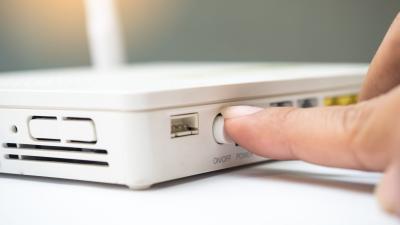
Dear Lifehacker, For some reason the router at my place seems to need resetting on a regular basis. Is there any way that instead of walking downstairs to physically press the reset button on the side of the router I can cause it to reset via the software? I don’t have admin access to it either, if that makes a difference. Thanks, Scoon More »


FixBrought to you by

Improve Your Xbox 360 Experience with Port Forwarding

1:00AM July 13, 2008 | Adam Pash

Wired’s How-To Wiki details step-by-step how to set up port forwarding to make sure you’re getting the best experience from your Xbox 360 and Xbox Live game play. Depending on your router you may never have needed to do this, but if you’ve ever experienced long wait-times between games and other suspicious network problems, there’s a fair chance that a quick trip through your router’s settings could make a big difference. While you’re at it, you may be interested in tweaking your router to ensure your Xbox gets the lion’s share of your bandwidth when you need it. Finally, now that you’re gaming is set up for top performance, maybe it’s time you do more than just game on your 360. Set Up Port Forwarding on Your Xbox 360 [Wired How-To Wiki]

More »


Uncategorized

Get Better Network Performance with Application-Aware Quality of Service

8:00AM March 5, 2008 | Adam Pash

Lifehacker Reader Jared Valentine tried ensuring a fast internet connection by setting Quality of Service rules on his router but found that QoS just wasn’t working well for his needs. To solve his problem, Jared wrote an extensive howto detailing how to set up his computer to automatically detect when he’s on a VoIP call, then aggressively limit his other traffic to make sure he’s got plenty of bandwidth for his voice calls. The tutorial is not for the faint of heart, but if you can pull it off, Jared calls it his holy grail of traffic prioritisation. If you’re looking for a simpler way, you may want to give router QoS rules a try to see if they’ll work for you first. Application Aware Triggered Quality of Service (AATQoS)

More »


Uncategorized

Keep SSH Connections Open in Linux

2:30AM February 21, 2008 | Kevin Purdy

If you like to have ready-to-go access to remote machines (or a home server, perhaps) from your Linux desktop, you might have noticed that you can’t always get what you want. Many home and office routers kill “idle” connections after a certain length of time, forcing you to log in again. The FOSSwire blog points out a one-line addition to the end of the client’s SSH configuration file (found at /etc/ssh/sshd_config in many systems) to fix this: ServerAliveInterval 180

That should send a little ping out every three minutes to ensure the connection is kept alive. This tip should work on most any OpenSSH server that allows access to its sshd_config file, but, as FOSSwire points out, it means any connections you leave open are just that—open to any nefarious passer-by, so use session-closing caution when needed. Keep Your SSH Connection Open [FOSSwire]

More »


Uncategorized

Keep Your Wi-Fi Going Strong

12:00PM February 2, 2008 | Adam Pash

The Web Worker Daily weblog suggests several methods to keep your router performing and your wireless internet strong. The post offers several tips for how to improve your wireless network, from performing a cycled reboot when things aren’t working correctly to adding access points to boost get your signal to every corner of your home. Honestly, after having turned my router into a super-router with both DD-WRT and Tomato, I’ve never enjoyed more stability and performance from a router. I can’t remember the last time I had to do a cycled reboot, and the Wi-Fi signal boosting doesn’t hurt, either. Routers running Tomato/DD-WRT also work as wireless bridges for extending your base signal, and they’re a cheap way to do it. Let’s hear how you keep your home network churning day in and out in the comments. Regular Checkups to Keep Your Wi-Fi Signal Spiffy [Web Worker Daily]

More »


Uncategorized

Access Your Computer Anytime and Save Energy with Wake-on-LAN

4:00AM January 25, 2008 | Adam Pash

You want access to your home computer wherever you are, whatever you’re doing, whether that’s via a remote desktop connection, SSH, FTP, web interface, or any other remote access you’ve set up. The catch is, you don’t like throwing money away to an always-on system. Luckily you can have your digital cake and eat it, too, and today I’ll show you how to boot and shut down your system remotely so that it’s ready for you when you need it and it’s not wasting energy when you don’t.

More »


Uncategorized

Turn Your $60 Router into a User-Friendly Super-Router with Tomato

4:00AM January 16, 2008 | Lifehacker US Edition

A year-and-a-half ago, we showed you how to turn your $60 router into a highly configurable $600 router with DD-WRT, a free, open source firmware. Since then there’s been a lot of development of open source firmwares, and today we’re taking a look at my new favorite, a firmware called Tomato. Tomato does almost everything DD-WRT does—from Wi-Fi signal boosting to Quality of Service bandwidth allocation—in addition to offering a simplified interface chock-full of fancy charts and graphs. Sound good? Let’s get started.

More »


Uncategorized

Troubleshoot Port Forwarding with YouGetSignal

5:00AM November 3, 2007 | Adam Pash

Web site YouGetSignal scans your external IP address to let you know which ports are being successfully forwarded through your firewall and which ports are closed for business. Whether you’ve set up your own home server or gotten down and dirty with BitTorrent, chances are you’ve had at least one run-in with port forwarding, the process that lets computers outside your network through your firewall to access your computer. If you don’t know how to set up port forwarding but would like to, check out our guide.

Port Forwarding Tester [YouGetSignal]

More »


Uncategorized

Top 10 Wi-Fi Boosts, Tweaks and Apps

5:49AM October 4, 2007 | Gina Trapani

No doubt you’ve got a home wireless network or you’ve connected to hotspots at the local coffee shop or airport—but are you getting the most out of your Wi-Fi? Whether you want to strengthen, extend, bridge, secure, sniff, detect, or obscure your signal, today we’ve got our top 10 best Wi-Fi utilities and tweaks for the power wireless user. Photo by thms.nl. More »