Top Stories pdf
Word 2013 Can Edit PDF Files
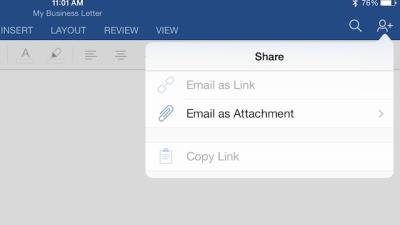
One of the handiest features of Word 2013 is that it can now open and edit PDF files. Word has long been able to save into PDF format, but the ability to edit PDF files is a welcome addition to its arsenal.
MagicReader Flips Through PDF Pages By Nodding
iPad: The iPad is by definition a touchscreen device, but there are times you want to use it but don’t want to dirty up the display with your greasy fingers. MagicReader lets you read your PDFs and turn the pages by just moving your head so you don’t have to use your hands at all.
Handy Scanner Captures And Uploads Documents From Android Phones
Android: If your phone has a good camera on it, why would you need a separate app to grab a head-on shot of paper? Handy Scanner straightens and fixes perspectives, enhances readability, makes easy work of multi-page documents, and pushes PDFs quickly to wherever you’d like.
Infographic: How PDF Rules The Document World
This infographic reminds us that Portable Document Format (PDF) remains a massively way of sharing documents, with more than 94 per cent of people having some familiarity with the format. While the figures are based on a US survey, I’d expect similar numbers in Australia.
Geek-Ready Travel Checklist For Your Next Trip
Getting ready to travel can be a pain because there’s so much to remember. You have to pack, get a ride, figure out when to leave, prepare your itinerary, have your identification ready, and a lot more. To help you avoid the almost inevitable memory loss that comes with holiday preparation, we’ve put together a printable checklist to ensure you’re ready to go.
Ask LH: How Can I Automate Signing Documents?
Dear Lifehacker, I’m trying to find software that could be used in conjunction with Dropbox or other features to allow people to put a signature on a document and email it back or otherwise. I’m trying to cut back on paper and hug some trees! Any suggestions? Thanks, Signing Up
How The Paperless Office Might Happen
You probably don’t need to look any further than your own desk to realise that the oft-discussed vision of a paperless office hasn’t happened yet. This infographic highlights survey results that suggest we might be getting closer to that vision.
The Best PDF Reader For Linux
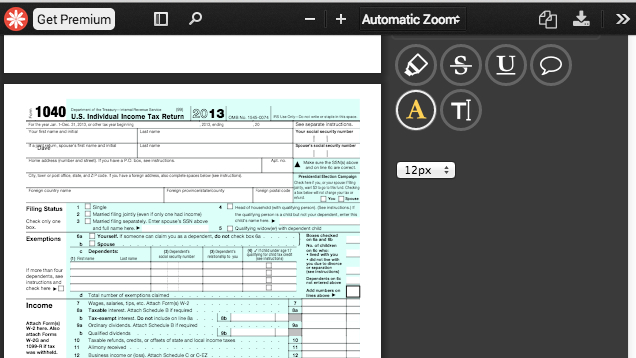
Linux has quite a few PDF readers available, but Okular stands out as the best of the bunch, due to its ability to comment on, highlight, and otherwise annotate PDFs.
Kindle iOS AppNow Can Read Emailed Documents
iOS: Amazon just updated its iPhone and iPad apps in a big way: You can now send documents to your iOS device via a new Send-to-Kindle email address, including PDFs. There’s a new layout too for viewing books, newsstand, and docs.