documents

Work

WatchDox Adds Security Options To Online Document Sharing

8:30AM Azadeh Ensha | We’ve highlighted many ways to help you share files over the internet. Newly launched service WatchDox aims to make the document-sharing process more secure. More »

Work

Zilla PDF To TXT Converter Bulk Converts Your PDF Files

3:00AM Jason Fitzpatrick | Windows only: We’ve covered a variety of tools for converting PDF files, but if you need to bulk convert a pile of them Zilla PDF to TXT Converter gets the job done quickly. More »

Organise

OutWit Docs Digs Deeper Into Document Search

11:30PM Jason Fitzpatrick | Firefox: If you find using search engines to ferret out documents on the web isn’t cutting it, OutWit Docs is a dedicated document search tool with a host of options. More »

Organise

Calibre Manages Your E-Book Collection

9:30AM Jason Fitzpatrick | Windows\Mac\Linux: If you’ve got a virtual pile of e-books but no good way to organise them, Calibre is a feature rich e-book manager, complete with Cover Flow-like looks and network sharing. Whether or not you have a portable e-book reader, Calibre is packed with features to help you organise your e-books. To start, you simply tell Calibre where you store your book files. It does a pretty good job pulling the necessary information and self-populating, although you’ll still find yourself making occasional edits, like swapping the author and title fields. If you’re a LibraryThing user, you can also hook into that account to populate the fields. More »

Organise

DocJax Finds And Previews Documents On The Web

9:00PM Kevin Purdy | Sure, Google can search by file type, and even preview some files as HTML. But DocJax is built for just the docs, ma’am, and offers a more robust preview of everything it finds. DocJax understands most of the search box tricks you learned over at that other, dominant engine, so site:microsoft.com outlook would return all the PDF, XLS, DOC, and PPT documents it found on the Redmond giant’s web space. From your first search, you can narrow by file type using the links in the upper-right corner of the results. DocJax uses the Scribd iPaper tool we were digging on as an alternative to launching and re-launching your PDF reader, and it offers a lot clearer results and viewing options than a Google HTML conversion. DocJax is free to use, no sign-up required. Tell us a great use for DocJax, or your other preferred document finder, in the comments. DocJax [via Digital Inspiration] More »

Work

Translate Entire Documents And PDF Files With Google

11:00PM Kevin Purdy | No need to copy all the text of that Dutch document or Portugese PDF and paste it into Google Translate. The free service can now translate entire files if you give it the URL. Whether a file has been indexed by Google’s search servers or not, paste in the link to the document, and Google Translate will convert it to HTML, translate it, and present you with the page in a handy viewer. You usually have to know the original language to help Translate get started, and Google Operating System’s Alex noted that it only gave back the first nine pages of a PDF he gave it. For technical documents and other works you need a quick, mostly-legible read on, though, Google Translate’s document tool is a killer app. Google Translate - Text and Web [via Google Operating System] More »

Work

HTML To PDF Converter Turns Web Sites Into PDF Files

5:00AM Jason Fitzpatrick | If you’d like to save a web site for posterity without the mess of saving the page and all its files, the web-based HTML to PDF Converter can crank out a PDF. The service is pretty straightforward, with a spot to plug in the link to website you want to convert, then click Make PDF and either save or open the file. Out of curiosity I tried non-HTML files from the web, including TXT files and image files like PNG and JPG. The site will convert all of them to PDF, but with mixed results for image files—it appears if an image is larger than an 8.5×11 sheet when “printed” at its native resolution, it gets chopped up. If web-to-PDF is a regular thing for you, try the PDF Download extension we’ve previously written up. HTML to PDF Converter is a free service and the PDF files it produces are not watermarked or labeled. HTML to PDF Converter [via MakeUseOf] More »

Work

Understanding Word 2007’s Compare Feature Options

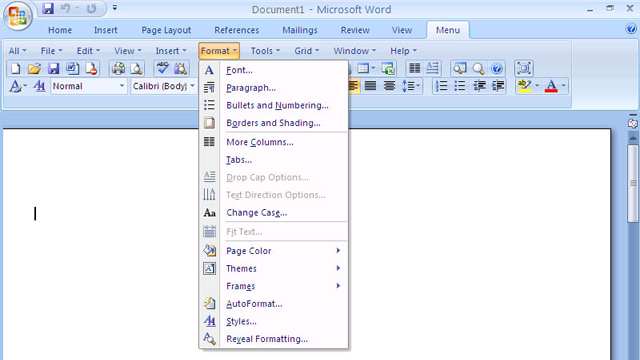
3:00PM Angus Kidman | Word 2007 includes a built-in comparison feature for working out what has changed between two documents, but the menu option for invoking the comparison includes so many options you can quickly get confused. The Word blog includes a comprehensive rundown on how the options work. While the default is to compare everything, unless you’re proofing a document for formatting it makes sense to de-select some options: who cares about white space if what you’re worried about is if text is changed or removed? For a cloud-centric way of comparing documents, check out how to compare documents in Google Docs. Advanced Comparison of Word Documents [The Microsoft Office Word Team's Blog] More »

Communicate

Find Product Manuals At OwnerIQ

3:00AM Jason Fitzpatrick | Find the manual for your product online at OwnerIQ, a site that catalogs thousands of manuals for consumer devices and offers forums for discussing their features and quirks. OwnerIQ goes a step beyond previously reviewed SafeManuals by providing not only manuals, but also extended on-site information about your products. You can use the site without registration to quickly locate manuals and accompanying literature for products you own. Registration adds the ability to ask questions in the product forums and create a profile of all your devices and manuals. Additionally, if there’s a recall or update for any product you’ve added to your profile, OwnerIQ will send you an email notification. After a Google search with filetype:pdf fails, OwnerIQ might be a key next stop in any hunt for how stuff works. Owner IQ [via MakeUseOf] More »

Work

MergePDF Combines PDF Documents For Free

11:30PM Jason Fitzpatrick | If you don’t have access to Adobe Acrobat or other PDF manipulation tools, MergePDF is a quick and hassle-free online tool for combining your documents. There are a small number of limitations on the tool, which shouldn’t be deal breakers for most people in need of a quick PDF merge. You’re limited to ten files that are 5MB or less for each merge you perform. Once you finish the merge and download the combined document, the original files are deleted. While the process wasn’t as fast as combining them on a local computer with professional software in our tests, it was fine for deadlines that aren’t in two minutes. The file merge pictured in the above screenshot took thirty seven seconds from the time the merge started until the file was downloaded to my computer. If you find yourself merging PDF files frequently, a free desktop solution might be in order. Previously reviewed PDFSam is a Java-based cross-platform tool that merges, and separates, PDF files in short order. MergePDF is a free to use, doesn’t require registration. MergePDF [via MakeUseOf] More »