calendar
Organise
ReturnMyPants Ensures You Get Loaned Items Back
5:00AM Jason Fitzpatrick | If you’re loaning something out and you’d like to see it again some day, it’s wise to have some sort of reminder system in place. ReturnMyPants is a simple tracking tool for items you loan out. More »
Organise
12:00PM Angus Kidman | Real estate search site MyHouseHunt.com.au has undergone a major revamp, shifting its emphasis to searching and managing property listings across the two dominant local real estate listing sites, Domain and RealEstate.com.au More »
MyHouseHunt.com.au Adds Maps, Property Shortlists
12:00PM Angus Kidman | Real estate search site MyHouseHunt.com.au has undergone a major revamp, shifting its emphasis to searching and managing property listings across the two dominant local real estate listing sites, Domain and RealEstate.com.au More »
Organise
Offline Google Calendar Goes Live For Everyone
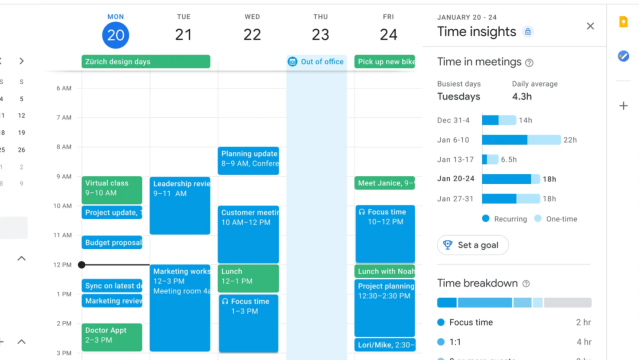
11:00PM Kevin Purdy | Roughly one month after Google Apps users got it, Gears-powered offline access comes to all Google Calendar users. The same limitations apply, but it’s not a bad way to ensure access to your agenda. Head to your calendar page and hit the “Offline (beta)” link to start the syncing process. If you don’t have Google Gears installed, you’ll need to do so, and you’ll be prompted to install shortcuts to GCal on your computer. The first sync only applies to your primary calendar, though—click the green checkmark in the upper-right and hit “Offline Settings” to bring more of your calendars offline. I didn’t notice any kind of limitations, but Alex at Google Operating System wrote that his calendar only synced Feb. 4 through June 4 of this year when he synced his calendars today. The big missing Feature Elephant in this online room is that you can’t create new events while you’re offline to sync up later. How will GCal offline be useful to you? Tell us your take in the comments. [via Google Operating System] More »
Organise
GCalTasks Gadget Tracks Time In Google Calendar
9:10AM Lifehacker US Edition | Windows 7/Vista only: Sidebar gadget gCalTasks tracks your time with a couldn’t-be-easier start/stop timer that saves your current task directly to Google Calendar. Installing the gadget is easy—just double-click on the downloaded file to add it to your sidebar, and use the wrench icon to add in your Google account details (works with Apps too). Once you’ve authenticated you can choose which calendar you want to send your time tracking data to. (It’s probably best to create a new one to keep from cluttering your regular schedule.) At this point you can start tracking your time by simply typing what you are working on and clicking Start; when you’re done, hit Stop to save your data up to Google. At the end of the day you can check the Agenda view in Google Calendar to see a nice list of everything you worked on throughout the day. The gadget has a few issues—most noticeably it’s too wide to fit in the sidebar so you really have to use it on the desktop, but the bigger problem is the lack of automatic sync, requiring you to remember to use the Stop button to save. The benefits of being able to easily track what you are working on and save to the accessible-everywhere Google Calendar outweigh the problems—and make this worth a look for anybody looking to keep better tabs on their time. gCalTasks is a free download for Windows 7 or Vista users. If you are looking for a hands-off, completely automated solution, take a look at previously mentioned Productivity Meter or Slife instead. Do you have a preferred solution for tracking your time? Share it in the comments. gCalTasks [via Download Squad] More »
Work
Floola Syncs Music, Google Calendars To iPods Without iTunes
11:00PM Kevin Purdy | Windows/Mac/Linux (all platforms): Floola, the go-anywhere, no-iTunes-required iPod manager, has updated with some nifty new features, including the ability to natively sync your Google Calendars to your iPod. We’ve been into Floola for some time now, ever since discovering that it was the ultimate solution for adding music and movies to your iPod from any computer, whether or not you were down with iTunes. The latest versions for Windows, Mac, and Linux (GTK2 required) add Google Calendar importing, plus a few bug fixes and optimisations sprinkled throughout. As with previous versions, Floola 4.7 is a stand-alone app, and its best used by stashing it in the disk storage of your iPod to be run from any system. It doesn’t support iPhones or iPod touch models, however. It’s free to download. Floola [via Avanishtech] More »
Organise
WinWorkBar Is A Robust But Lightweight GTD Sidebar
4:00AM Adam Pash | Windows only: WinWorkBar is a free, lightweight application sidebar complete with flexible to-do list, notes, calendar, and more. It may not look like much, and its meager 600KB download size and 6MB footprint may not sound like much, but this little sidebar application packs a lot of punch. You can customise keyboard shortcuts to quickly perform any action (e.g., show/hide the sidebar or create a new note or task), assign tasks and notes to any day or range of days (complete with reminder alerts), create repeating tasks quickly and easily, and automatically toggle the application’s visibility so it’s only taking up space when you want it to be. WinWorkBar doesn’t do any fancy syncing (or anything all that fancy, really), but if all you’re looking for is a powerful yet lightweight and unobtrusive to-do list manager, calendar, and notes application, WinWorkBar fits the bill. WinWorkBar is free and open-source, Windows only. WinWorkBar [via Download Squad] More »
Money
3:00PM Angus Kidman | Buying property almost invariably involves spending a Saturday morning racing from one open house to another, and working out how to organise it all can be a major pain. MyHouseHunt.com.au lets you paste in URLs from the two largest real estate listing sites (realestate.com.au and Domain) and automatically generates a timetable with possibilities and lets you choose your preferred slots, The finished timetable can be emailed to you in PDF or CSV form. It won’t eliminate major scheduling hassles, and it’s much easier to use with realestate.com.au listings since that site boasts an “Open for Inspection” search category. For all that, it’s still a nifty real estate buying assistant. Thanks Charis!
MyHouseHunt.com.au
More »
MyHouseHunt.com.au Organises Your Property Viewing Schedule
3:00PM Angus Kidman | Buying property almost invariably involves spending a Saturday morning racing from one open house to another, and working out how to organise it all can be a major pain. MyHouseHunt.com.au lets you paste in URLs from the two largest real estate listing sites (realestate.com.au and Domain) and automatically generates a timetable with possibilities and lets you choose your preferred slots, The finished timetable can be emailed to you in PDF or CSV form. It won’t eliminate major scheduling hassles, and it’s much easier to use with realestate.com.au listings since that site boasts an “Open for Inspection” search category. For all that, it’s still a nifty real estate buying assistant. Thanks Charis!
MyHouseHunt.com.au
More »
Organise
Spicebird 0.7 Beta Adds Google Gadgets And Instant Messaging
1:40AM Gina Trapani | Windows and Linux only: A new release of the open-source, all-in-one email, calendar, and task manager Spicebird is now available for download. Kevin took you on a tour of Spicebird 0.4 back in January, but the new version 0.7 adds features and fixes. Notably, 0.7 got support for Google gadgets on the home screen, revamped instant messaging capabilities, Google Calendar support, and experimental blogging capabilities—see the full release notes for details. The Spicebird 0.7 release is a free download for Windows and Linux. Thanks, Asian Angel! Spicebird 0.7 Released More »
Organise
Deadline Keeps Events And Reminders Simple
10:00PM Kevin Purdy | Free appointment/event manager and reminder service Deadline aims to keep everything about managing an online calendar really simple, from its minimalist dark interface to its text-centric update interface. Deadline parses your text to figure out when things are due—like “Call Linda for brunch Sunday”—and offers reminders and subscriptions through email, RSS, and iCal feeds. You can also add update and get reminders through your Jabber/Gtalk IM client, and the email correspondence is minimal enough to work through a cell phone’s text messaging. The text parsing is still a little young, but Deadline delivers on what it promises for those looking for a scaled-down, agile reminder service. Deadline is free, requires a sign-up to use. Deadline [via WebWorkerDaily] More »
Organise