address bar

Fix

Force Firefox Autofill To Behave By Removing “WWW” URLs

12:00AM Kevin Purdy | Lifehacker reader Jordan loves the easy browsing that enabling auto-completion in Firefox provides, but found it just didn’t work for some sites. The fix? Removing bookmarks with “www” stuck at the front. More »
Fix

MuvEnum Address Bar Replaces The Quick-Launching Taskbar In XP SP3

10:00PM Kevin Purdy | Windows only: Service Pack 3 for Windows XP removed the ability of that operating system’s users to keep a quick-launching address box on their taskbar session after session. MuvEnum Address Bar aims to address that shortfall, but also adds a few neat conveniences to the package. There’s a customizable global hot key (Ctrl + Shift + A by default), bookmarks and history pulled from Internet Explorer, Firefox, and/or Google Chrome, auto-complete convenience, and a key to clear out MuvEnum’s history without wiping out your browser’s. While Vista has its own address bar option on its taskbar, MuvEnum installs on Vista and adds the same conveniences. MuvEnum is a free download for Windows systems only. Check out its single, helpful options screen below. More »
Fix

Get More Omnibox Suggestions in Google Chrome

10:00PM Kevin Purdy | The How-To Geek jumps into Google’s browser and comes up with a tweak to change the number of suggestions and history items in the drop-down “Omnibox,” the non-Firefox equivalent of an AwesomeBar. The trick is to add a preference, or switch, after the .exe in the shortcut you launch Chrome from. If you wanted Chrome to suggest 10 options, for instance, add this line: -omnibox-popup-count=10 Found any other undocumented command line switches in Chrome? Tell us about them in the comments. Increase Google Chrome’s Omnibox Popup Suggestion Count With an Undocumented Switch [The How-To Geek] More »
Organise

Integrate YubNub into Firefox’s Address Bar for Faster Searches

12:06AM Kevin Purdy | The Google Operating System posts a clever hack that shuttles the power of quick-search site YubNub into the Firefox address bar, making searching through multiple engines a fast and no-mouse-required affair. To pull it off, type about:config dialog into your address bar, then head to the keyword.URL value and change it to: More »

Super Charge Your Address Bar with Autocomplete Manager

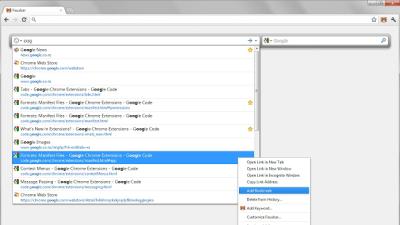
8:00AM Adam Pash | Windows/Mac/Linux (Firefox): Open common URLs, bookmarks, and history pages by title from your address bar with the Autocomplete Manager Firefox extension. Yesterday we showed you how to enable Firefox address bar auto-completion, and while Autocomplete Manager does not perform the same sort of inline autofilling of text, what it does do is allow you to find and visit URLs based on page titles and bookmark names, any part of a URL, and lots of other useful options. It won’t be for everyone (I still prefer keyword bookmarks to all of the alternatives), but if you want to be able to perform history and bookmark searches from the same place you type URLs, it’s a handy extension to have in your toolbox. Thanks Alcyone! Autocomplete Manager [Firefox Add-ons] More »