Handbrake

Work

Handbrake Updates To 0.9.5, Adds Batch Scanning, Queue Editing, Blu-Ray Support

9:45AM January 4, 2011 | Whitson Gordon

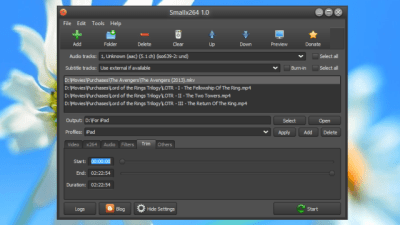
Windows/Mac/Linux: Our favourite DVD-ripping, video-converting program Handbrake just updated today, bringing with it many annoyance fixes that speed up the process, like batch video scanning, queue editing, Blu-Ray disc recognition, and drag-and-drop file additions in Windows. More »


Work

Calculate The Perfect Handbrake Video Encoding Settings For Your Device

12:00AM August 13, 2010 | Adam Dachis

Handbrake is an amazing tool for ripping your DVDs and converting your video files, but figuring out the right settings can be a challenge. Let our Handbrake Video Bitrate calculator do the work for you. More »


Work

HandBrake Updates To 0.9.4 With Over 1,000 Changes, 64-Bit Support

6:00AM November 26, 2009 | Whitson Gordon

Windows/Mac/Linux: If you ever have to rip DVDs to your desktop or convert video, you know how awesome open-source encoder HandBrake is. Well, it’s just been updated with over 1,000 changes since the last release, including 64-bit support. More »


Work

HandBrake Media Converter Gets Even Better

11:13PM November 25, 2008 | Gina Trapani

All platforms: A new version of the most popular media converter for Lifehacker readers, Handbrake, adds several useful features like universal input (it’s not just for DVDs any more), better video quality, and now integration with VLC to do DVD decryption. Download version 0.9.3 and see the full release notes here. [via]

More »


Uncategorized

Mac Virtualisation, Parallels vs Fusion

11:43PM September 28, 2007 | Gina Trapani

Mac only: We fell in love with Mac virtualisation software Parallels Desktop the minute it got released, because running both OS X and Windows on the same machine is such a huge productivity boost. Since then, the more established player in the virtualisation market, VMWare, has released Fusion for OS X, which also runs Windows and various flavors of Linux for the same price. Macworld calls it “a very close call between these two excellent virtualisation programs.” What are you using? More »


Uncategorized

Overclocking guide

Flag
10:19AM September 27, 2007 | Sarah Stokely

ExtremeTech has published an overclocking guide for those who want to get every last drop of speed out of their computer. I liked the fact that the article talks you through how to work out which components in your PC are overclockable, and then goes on to explain how to do an ‘overall overclocking’ of all those components.

But I do have to giggle at an article which starts off saying: “Once upon a time, overclocking was considered a risky and dangerous thing to do… Now, it’s almost insane not to.” and then goes on to issue warnings like:

“When you overclock a PC, it’s never truly stable. The PC was not designed to run with different things at different clock rates that aren’t necessarily compatible with each other. What you gain in performance you lose in piece of mind: This thing could crash at any moment.”

I guess it’s horses for courses. I don’t want an Top Gear car which might get insane speeds for a whole 60 seconds before turning into a cartwheeling fireball o’death.. nor does overclocking really appeal to me. I don’t have high performance needs, and I don’t want to sacrifice reliability. Your mileage may vary, of course. If you overclock I’d be interested to hear why, and how much it affects your system reliability.

ExtremeTech Overclocking Guide More »


Uncategorized

Unsexy

3:59AM September 22, 2007 | Adam Pash

Many of us prefer the internet to sex, according to web site Ars Technica. Which can you go longer without? More »


Uncategorized

Custom Google Search Your Del.icio.us Bookmarks with deliGoo

6:00AM September 15, 2007 | Adam Pash

Search the contents of every web page you’ve ever bookmarked with del.icio.us using a dynamically built Google Custom Search engine from deliGoo. Just point your browser to the deliGoo homepage, enter the username and optional tag you want to search, and then enter your search terms and click Goo. deliGoo will analyse your del.icio.us account and create a Google Custom Search Engine, then use it to search the contents of every site for a match. If you’re a prolific bookmarker and you’ve run into a situation where you know you’ve bookmarked a page, remember what it was about, but can’t find it using your tags, a deliGoo search might be just what the doctor ordered.

deliGoo

More »