Every little bit we set aside adds up, sometimes in surprising amounts. The $5 savings plan is one method you could use to save a little more money over the course of the year, and its randomness makes it somewhat enjoyable. More »
Do you ever picture what you’ll look like or what your life will be like in retirement? If not, you might want to start now. Visualising your future self, research suggests, is one way to prevent under-saving. More »
Not everyone likes term deposits, but they can be a good way to earn more interest on your spare cash. St George has added the capacity to open term deposits via its mobile sites, making it easier to jump if you find an interest rate attractive. More »
Term deposits give you a higher interest rate in return for locking down your money, but just how tied down are you prepared to be? A new government proposal could see the introduction of term deposits which require 31 days notice to remove your money. More »
The BRW Rich 200 represents just 0.009% of the Australian population, so the chances of you joining their ranks are, frankly, miniscule. But you can learn some useful pointers about increasing your wealth from their experiences. More »
Managing finances is largely a matter of careful planning, but it’s still something that many of us struggle with. The government-backed MoneySmart site covers a large amount of ground in covering basic financial management for Australians, looking at everything from personal budget planning to debt management to superannuation. More »
Dear Lifehacker, Despite my yearning for an electronic, cashless society, it still seems that for most of us, cash is still necessary to get by in this society. In particular, I seem to get home with a few coins in my pocket most days — this quickly builds up into small piles of coins around the house, occasionally consolidated into a larger pile, then jar. I don’t seem to ever have time to actually get to a bank to do anything with this money, and whenever I grab a handful of coins to take out with me, it just seems to multiply in my pocket by the day’s end. What tips do you have for dealing with this growing mound of metal in my house? Yours, Coining It In More »
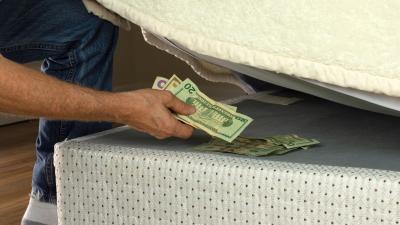
We’ve already shown you where and how to safely hide cash in your home, but if you really want to learn how, why not ask the expert? The following are some dos and don’ts of money storage courtesy of a former burglar. More »
You shouldn’t let the uncertain economy drive you to a crazed bank run, a la It’s a Wonderful Life, but it might make sense to keep a decent stash of legal tender at home these days. Consumer Reports’ Money blog points out that your mattress is the first place a nefarious intruder might look, but a hollow light fixture, a waterproof bag in your toilet tank, and a few other spots make for more secure hiding spots: … How about behind acoustic tiles in the ceiling? According to the book Hiding Your Money by Jerome Schneider and Allison Hope Weiner, “The beauty of acoustic tiles is that they always look broken, moved and dirty.”
We’ve pointed out a few other “hidden safe” ideas such as one involving wall outlets, but Consumer Reports has a few other inspiring spots. Let’s also hear where you might stash a bit of rainy day money (assuming your account has some anonymity to it) in the comments. Photo by markhillary. Where to stash cash at home [Consumer Reports Money Blog]
Personal Finance blog Funny About Money tweaks the concept of a “freedom account”—a single stash for irregular-but-common expenses like car repair and clothing—and comes up with targeted accounts. That means opening up a money market or similar small account for each kind of expense, based on how often it occurs, rather than track a bunch of expenses from a big fund. For example, I look to the irregular little surprises that can happen at any time (plumbing or car repairs, vet bills, etc.), annual expenses (car and home owner’s insurance, property tax, income tax), and long-term expenses (purchase of a new car, about once every ten years; major repairs or renovations on the house, which I hope don’t happen more often than about once every eight or ten years).
That way, the author states, big walloping expenses like car repair don’t throw off your budget and give you a clearer view at what you’re spending. Targeting your emergency savings [Funny About Money]