yahoo mail
Work
Webmail Password Leaks Extend To Gmail, Yahoo
2:00AM Kevin Purdy | More than 10,000 Hotmail passwords were posted online yesterday, but users of other popular webmail services haven’t been let off the hook. A similar phishing attack exposed another 20,000 user/password combinations, so consider resetting your own login credentials. More »
Work
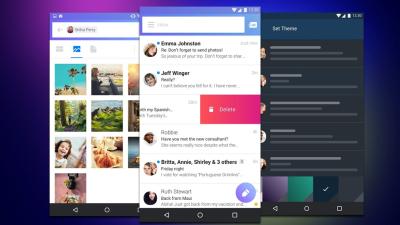
Yahoo Upgrades Mail, Messenger, And Search
6:45AM Kevin Purdy | Yahoo Mail users are getting 25MB attachment limits and easier photo uploading, a new Messenger beta allows for full-screen video chat and social network link-ins, and searchers will get refinement and analytic results as part of Yahoo’s big Monday announcements. More »
Communicate
Zemanta Helps Write Rich Emails In Gmail And Yahoo Mail
6:00AM Adam Pash | Windows/Mac/Linux: If you’re a fan of inline photos and links connecting the content of your emails to the rest of the web, new browser plug-in Zemanta adds a rich email composition tool to Firefox and Internet Explorer. As the video demonstrates, Zemanta reads your email (okay, a little weird) and suggests images, related links, and inline links to Wikipedia. If you sign up for an account with Zemanta, you can finely tune Zemanta to search for images in your Flickr account or search for and add your friends’ content when available. Originally Zemanta was just a blogging tool (it supports Blogger, WordPress, and most other popular blogging services). Now the unobtrusive extension works with both Gmail and Yahoo mail. Using Zemanta is both fun and a little annoying. It’s really cool to quickly and easily add images and links to your email, but it’s also a little irritating to see the Zemanta branding show up next to everything you add. (Maybe it’s just me? I don’t like looking like a shill.) Still, if you’re a rich email junkie, Zemanta is a great tool. Zemanta is a free download, works on all platforms with Firefox and with Internet Explorer. Zemanta for Gmail and Yahoo Mail [Zemanta via CNET] More »
Communicate
Yahoo Mail Offers Random Subject Lines in a Click
11:31PM Gina Trapani | Discovered a fun little feature in Yahoo Mail this week that made me wish for the same in Gmail: the Subject-O-Matique, a random subject line inserter. When you just can’t think of the right subject for your message, click the subject button in the new version of Yahoo Mail to automatically fill in something cheeky or goofy. Hit the play button above to see some examples. The closest Gmail’s got to this is its random signature experimental feature. [via Webware] More »Yahoo Mail Discontinues Tagline Ads
6:00AM Gina Trapani | Great news for Yahoo Mail users: The big Y has stopped automatically including advertising taglines at the bottom of your email messages. About time! [via] More »Use Yahoo Mail as Document Storage
1:00PM Gina Trapani | Two features Yahoo Mail has that Gmail does not (officially, anyway)—unlimited storage and “AddressGuard” disposable addresses—make it the ideal solution for keeping an online repository of important documents. Blogger Bert Webb does just that. He scans paperwork like birth certificates, warranties, copies of insurance cards and tax documents emails them to a disposable Yahoo Mail address set up to automatically filters them into a “Docs” folder in his email account. Of course, using Gmail’s “plus sign” trick and its virtually unlimited storage, you could do the same there, too. Turn your Yahoo Mail Into a Document Storage Lockbox! [Open Loops] More »
Yahoo Mail’s Shortcuts Make Directions and Contact Management Easy
4:00AM Adam Pash | Instantly look up addresses, search businesses, or add information to your contacts from content in your emails with Yahoo Mail Shortcuts. The Shortcuts feature, which can be tweaked within your settings, can read email addresses, URLs, phone numbers, calendar events, addresses, and “interesting picks,” and then offers context-specific options for each shortcut type. For example, if Yahoo Mail recognises an address, you can view a map of that address in a quick, handy frame or add the address to an existing or new contact (the contact management features in Yahoo Mail are really to die for). Gmail already has similar integration with maps and calendars, but this kind of tighter integration—especially with the robust contact management—is the kind of thing that makes Gmail look bad next to the competition. More »Defining project boundaries
1:02PM Sarah Stokely | The Agency Byte blog has a post on ’scope creep’ – why it happens and what you can do about it.
“Scope creep begins at the moment when your client asks for something outside of the scope of work for which you’ve contracted (you do have a contract, right?). Naturally, they’re asking for this thing to be included at no extra cost. Actually, they’re probably not asking. They’re probably acting like it’s always been understood that this thing will be included. Duh.”
Defining Project Boundaries (and Keeping Your Client Within Them) [via Freelance Switch] More »