windows explorer
Work
Find And Get Rid Of Old Files With An Advanced Explorer Search
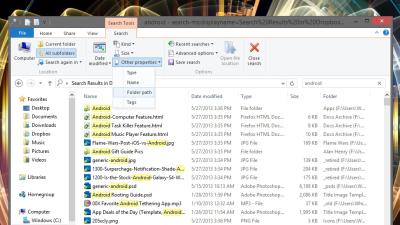
3:45AM Adam Pash | There are tools that let you visualise your hard drive usage to get rid of big files you don’t need, but if you just want to hunt down the files you haven’t used in ages, this quick search query can help. More »
Work
Pin Individual Folders To The Windows 7 Taskbar
11:05PM Kevin Purdy | Windows 7’s taskbar lets you pin any running program to the taskbar for easy future access, but it treats folders like second-class sub-items of the Explorer icon. Create a fake “program” to pin individual folder shortcuts to your taskbar. More »
Work
Add Recycle Bin And More To My Computer
2:00AM The How-To Geek | The Tweaking with Vishal web site writes up a quick registry hack that adds Recycle Bin, Network Connections, Admin Tools or even Search to your My Computer window. More »
Work
Thumbview Adds Thumbnail Support For Unsupported Images
3:00AM Jason Fitzpatrick | Windows only: You may have noticed that Windows only supports thumbnail icon previews for a handful of image formats. Free utility Thumbview adds in over a dozen more to make sure you can preview all your images. More »
Organise
Power Up Windows Explorer with Free Add-ons
2:00AM Gina Trapani | When moving, copying, pasting, browsing, and getting information about your files feels like tedious work—and it can in the feature-sparse Windows Explorer—you need some power add-ons that can help. Instead of completely replacing Windows Explorer with an alternative file manager, you can pick and choose the extra features you want and add them piecemeal. Let’s take a look at some free power add-ons for Windows Explorer that make dealing with your growing file collection faster and easier. More »
DriveSpacio Finds What’s Filling Up Your Hard Drive
7:50AM Adam Pash | Windows only: Analyse your hard drive usage and find out what’s eating up your disk space with freeware application DriveSpacio. Similar to previously mentioned WinDirStat, DriveSpacio sets itself apart with a different approach to displaying your drive usage. Many users will likely prefer the bar graphs and pie charts of DriveSpacio to WinDirStat, but the biggest drawback is that—unlike WinDirStat—it doesn’t currently allow you to directly delete or launch a folder from within its interface. That means that once you find something you want to delete, you still have to navigate to it manually in Explorer to delete it. Regardless, the freeware, Windows only DirveSpacio is a great alternative when you’re looking to visualise your hard drive usage. Mac users, check out previously mentioned GrandPerspective. More »
Answer “No to All” When Copying Files
8:00AM Adam Pash | If you’ve ever copied a folder’s worth of files in Windows, you’ve come across the Confirm File Replace dialog, which asks you if you want to replace an existing file with a new file. You have the option to answer Yes just for this file, Yes to All—which will just replace all the originals with the new copies—or you can say No; what’s missing is a button to say No to All. Rather than clicking No countless times if No to All is what you really want, tech weblog Online Tech Tips points out that Windows simulates the No to All response if you hold the Shift key and then click No. It’s a strange feature, and actually one that we covered years ago, but it’s worth a second mention. Vista changed this dialog entirely, but if you’re still living la vida XP, it’s a good shortcut to know. How to simulate “No to all” when copying in Windows XP [Online Tech Tips] More »
Add Quick Access to Your Filesystem with Direct Folders
9:00AM Adam Pash | Windows only: Freeware application Direct Folders jumps quickly to any folder on your filesystem (and then some) for quick navigation through regular Explorer windows or save dialogs. After installing Direct Folders, double-click any free space on an Explorer window to bring up the Direct Folder menu. From there you can choose one of your favourite folders (or even apps), add new favourites, or access recent folders. With a lot more time-saving functionality worth using (like automatic folder resizing), Direct Folders seems almost magical. For a full run-down of everything it can do, check out the demo screencast. Direct Folders is freeware, Windows only (a pro version is available for a price, but most of the marquee features are available to the freeware version). If Direct Folders isn’t quite what you’re looking for (but close), check out previously mentioned FindeXer and PlacesBar. Direct Folders [Code Sector] More »
Get Informative File Tooltips with InfoTag Magic
6:00AM Adam Pash | Windows only: Freeware application InfoTag Magic adds useful file information to the Windows mouse hover tooltip to give you a better idea of what’s going on inside the file you’re looking at without requiring you to open it up to find out. As you can see in the screenshot, for example, InfoTag Magic displays an MP3’s metadata so that even if a song doesn’t have an informative filename, you can still get a preview of what’s inside. Likewise, InfoTag Magic will preview the first seven or so lines of a text file when you hover over it. Infotag Magic is freeware, Windows only. InfoTag Magic [via FreewareGenius] More »