winamp

Work

Win7shell Adds Windows 7 Jump List Support To Winamp

6:00AM The How-To Geek | Windows only: Winamp plugin Win7shell enables support for Jump Lists when using the media player under Windows 7—now you can quickly access frequently used music right from the taskbar. More »
Design

The Now Playing Dashboard

11:00PM Gina Trapani | Music-lover dmosiondz put the currently-playing Winamp track front and centre on his/her Windows desktop using one of the most popular desktop customisation tools, Samurize. This good-looking “Now Playing” dashboard boasts album art (middle), song lyrics (right), a Winamp controller (bottom left), plus the time, weather forecast, and system information. Dmosiondz explains the complete setup down to the fonts used: More »
Work

MiniTube Adds Music Videos To Winamp

5:00AM Gina Trapani | Windows only: Winamp plug-in MiniTube adds YouTube videos to your music playlist. Fire up MiniTube when you want to see your music as well as hear it, and it searches YouTube for a video that matches the metadata on your MP3 file, and starts playing it along with the music automatically. In theory this is awesome, but MiniTube’s implementation falls short in one main way: the video often starts after the song does, so it’s not necessarily synced with what you’re hearing. If you can’t stand being a few beats behind, however, you can opt to listen to the YouTube audio instead of your MP3 file. MiniTube is a free download that works with Winamp. MiniTube [Winamp Plug-ins via gHacks] More »
Organise

MiniTube Syncs And Plays Music Videos With Your MP3s

1:03AM Kevin Purdy | Windows (with iTunes, WinAmp, or KMPlayer): Free plug-in tool MiniTube hunts down music videos from Flash-based video sites and plays them along with your tunes. MiniTube’s signature feature is the ability to play the video synced up to your local MP3—in other words, lip-synced to wherever you are in the song when the video starts playing. Its video accuracy depends, of course, on the accuracy of YouTube uploaders (and the video’s copyright status), but you can tell MiniTube that a video is wrong and have it re-search, and it can be set to disappear when there’s nothing to grab. Check out a video demonstration of MiniTube in action below. More »

Control Winamp Remotely from Any Browser

10:30PM Kevin Purdy | If you’ve got a home server running, or just a computer that controls music and video playback, the Simple Help blog has a guide that might make your digital life a little more convenient. Using the free WWWinamp tool, the author details how to set up and control Winamp from any browser, iPod touch/iPhones included. Convenient for controlling movies streamed to your television, music playing during a party, or any other away-from-computer control. More »

Take Control of Your Music with Winamp 5.5

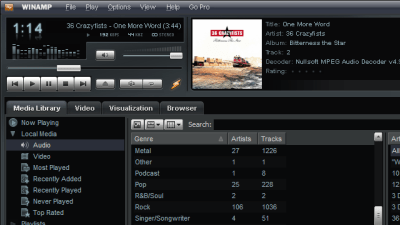
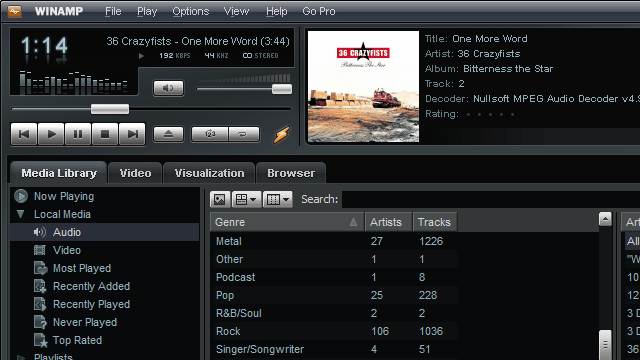
4:00AM Adam Pash | Windows only: The recently released Winamp 5.5 brings a new interface, album art, remote music sharing, and more to the classic media player—meaning it’s come a long way since the heyday of Napster. New Winamp features you may be unaware of and impressed by include: Winamp Remote: Stream your music over the internet through your browser and to game consoles, including the Wii, PS3, and Xbox 360. Syncing with iPods and other portable media devices: Winamp can (and has been able to for a while) sync your music to iPods and almost any portable media device you can throw at it, and the new version syncs album art, as well. Winamp Toolbar: Control your music playback from the comfort of your browser, similar to previously mentioned FoxyTunes. Auto-Tag files: Winamps Auto-Tagger automatically updates your music metadata. It’s no surprise that Winamp had such a presence in today’s Media Player Show and Tell. Since, admittedly, I’ve been out of the Winamp game for a while, I’d love to hear what features keep the die-hard Winamp fans coming back for more, so let’s hear your Winamp raves in the comments. Winamp More »

Media Player Show and Tell

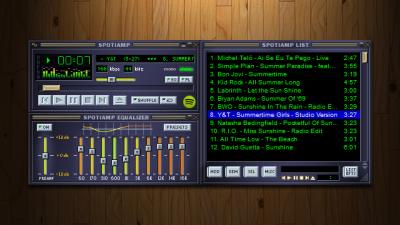
2:00AM Adam Pash | For some people, desktop media player applications are a very personal thing. Rather than living life in the vanilla world of iTunes and Windows Media Player, these music lovers prefer media players they can tweak, customise, and personalise to their heart’s content. Today we’re taking a look a look at user-submitted pictures of their always impressive and often enviable desktop media players. Hit the jump to take a look, and if you see one you like, find out how they did it. More »

Winamp launches 10th anniversary edition

3:17PM Sarah Stokely | Before there was iTunes, there was Winamp. A lot of people still prefer to use this freeware music player (and a lot of people still have opinions on when Winamp jumped the shark into bloatville, but don’t let’s get started on that). Wired’s just written up a detailed review of Winamp’s 10th anniversary edition, AOL Winamp 5.5, which boasts a revamped interface, iPod syncing, remote music access and other advanced features: “Best of all, Winamp makes it far easier than iTunes or Windows Media Player to discover new music online and incorporate it into your library without having to download MP3s through a browser and import them into your media player manually.” After I stop feeling really, really old, I think I’ll download it and give it another whirl. Winamp Packs on Features for 10th-Anniversary Edition [Wired] More »