text editors
Work
SimpleText.ws Is An Open-Source Scratchpad Webapp
3:00AM Kevin Purdy | Want to get writing without having to worry about fonts, formatting or anything else, really? SimpleText.ws signs you in using Google, offers revision history and looks like a text editor from a classic black-and-white Mac. More »
Work
EditPad Lite Makes Customising Your Text Editor Easy
11:30PM Jason Fitzpatrick | Windows only: Whether you’re a fan of green on black text, blinking cursors, split windows or any of the things you won’t find on a basic text editor, EditPad Lite has the tweaks you crave. More »
Work
View Page Source Code In Your Favourite Text Editor
11:30PM Jason Fitzpatrick | If you frequently examine the source code of web pages while using Firefox, this handy trick will load the source code directly in your favourite editor. More »
Work
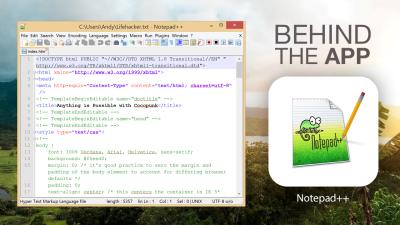
AutoSave Adds Reassurance To Notepad++ Editing
12:10AM Kevin Purdy | Windows: Notepad++, a light but reliable text editor we included in our 2009 Lifehacker Pack of essential Windows downloads, gets even more reliable with a free, configurable auto-saving plug-in. More »
Work
TED Notepad Is An Advanced, Light And Fast Plain Text Editor
1:30AM Adam Pash | Windows only: If you’re looking for a lightweight notepad replacement but still yearn for some extra features, look no further than TED Notepad. More »
Work
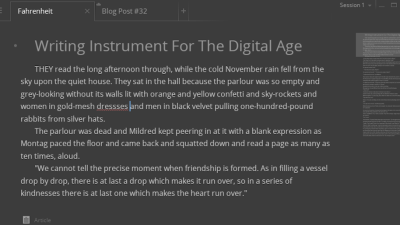
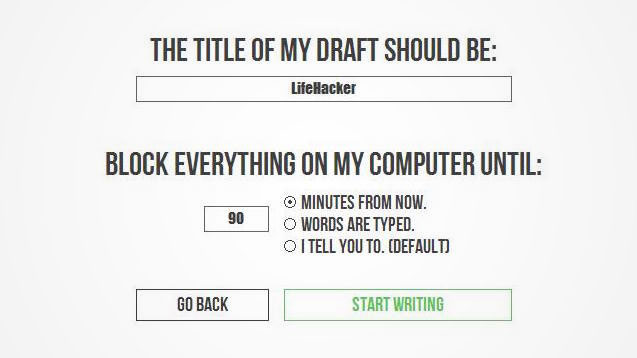
Write Monkey Provides Portable Distraction Free Writing
3:00AM Jason Fitzpatrick | Windows only: Visually WriteMonkey is a dead simple text editor with a strong emphasis on distraction free writing. Under the hood it’s packed with handy features to make writing easier. More »
Work
Google Docs Gets Full Find & Replace, Drawing Tools
10:30PM Kevin Purdy | Google Docs takes another step toward becoming a proper document tool, adding a full-fledged find and replace toolbar, as well as a browser-based SVG drawing tool. Docs had a kind of low-powered, actually apologetic find and replace tool before that could only do whole-document, every-instance replacements. Now it’s a bit more familiar, with one box for the finding text (or regular expression), one for the replacement, and buttons and shortcuts (Ctrl+F, Ctrl+G for next) that can replace items one-by-one: More »
Work
SourceEdit Is A Beefy Text Editor For Programmers
11:30PM Jason Fitzpatrick | Windows only: SourceEdit is a feature rich text editor geared towards programmers. The editor has support for dozens of programming languages and their accompanying formatting and syntax. The HTML purists among you will be pleased to see the support for launching previews of your HTML code in your default system browser directly from SourceEdit. The interface is extremely customizable, you can edit the colour of tags, operators, and other code components to make them stand out. The File Mapping feature ensures the modifications you made to the layout and colour scheme is recalled based on the file type you’re working on. If you have one set of colour coding for C++ editing and one for HTML, SourceEdit will automatically load them when you open either file type. If you frequently cut and paste or just need to compare portions or version of the code you’re writing, SourceEdit supports up to four panes of code at once. SourceEdit is freeware, Windows only. SourceEdit [via MakeUseOf] More »
Work
XML Notepad 2007 Is A Simple, Smart Editor For Web Code
10:30PM Kevin Purdy | Windows only: If you’re delving into XML programming for the first time, or want to tweak a few software files, Microsoft’s XML Notepad 2007 may be the no-nonsense editor you’re looking for. It’s not a beginner’s tool due to lack of features or context—we’re just assuming that most full-time or experienced programmers have their own platform preference for editing all sorts of code. XML Notepad 2007 is themed around the same kind of just-the-text-ma’am simplicity of Windows’ Notepad, but does add relevant features for markup language hacking. The left-hand pane breaks an XML document into a tree view of classes, tags, and their key values. All the text is color-matched to its identifier on the left, and writing in Tree View allows you to leave all the tag containers behind. If you want to see what your raw XML looks like, click “XSL Output,” and you’ll see what Internet Explorer would see when checking out the file. Copying and pasting are modified to ensure the nodes you shuffle around keep their contexts, and, well, that’s about it for basic features. There’s more to find in XML Notepad, but nothing more is required to get started. XML editing gives one all kinds of powers over a system. XML Notepad 2007 is a free download for Windows systems only. XML Notepad [via Online Tech Tips] More »
Work