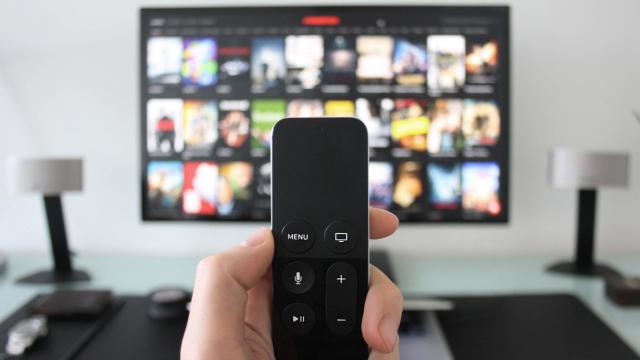
television
Communicate
And Now For Something Completely Different On YouTube
12:30AM Kevin Purdy | Claiming to be tired of seeing poor-quality “rip offs” of their ridiculously acclaimed TV series and films, the Monty Python troupe has created an official YouTube channel to post free, high-quality clips from their vaults, with only Amazon merchandise links for advertising. Their official, tongue-in-cheek video proclamation is below. [via Blogoscoped] More »
Communicate
Livestation Brings Streaming TV To All Platforms
12:07AM Kevin Purdy | Windows/Mac/Linux (all platforms): Livestation, the previously invite-only streaming television player, has released its free desktop client for all platforms. The app cites an available 1,275 channels, but the majority are—how should we say—not essential viewing. Still, there’s live CNN, BBC, NBC News, Bloomberg, and a smattering of local stations. (Many of the US stations are blocked to international viewers.) The full-screen “carousel” view is pretty slick, as is reducing the player to a corner and having it always stay on top. After creating your account, you can also watch live streams from Livestation’s web site, and send twitters marking what you’re watching. All in all, a pretty decent solution to quickly pulling up news and information while you’re at your desktop. Livestation is a free download for Windows, Mac, and Linux systems; requires a free sign-up to use. Livestation [via MakeUseOf.com] More »
Communicate
Joost Now Offers Online TV With Only A Browser
1:00AM Kevin Purdy | Joost, the web-based provider of on-demand and live television, launched a browser-based version of its offerings this morning. While users of the service’s Mac and Windows software can still get at their channels, Joost’s new model allows anyone with Flash capabilities, and a temporarily-required browser IE or Firefox plug-in, to get at the good stuff. Joost is expected to go no-plugin-required next month—nice for those on Linux or non-standard browsers—but for now, it’s a bit more hassle-free to watch live or canned television at work, or show a friend that old sitcom episode you were referring to. Joost is a free service; requires a sign-up and (for the moment) browser plug-in. Joost [via TechCrunch] More »
XBMC Turns Your Mac into the Ultimate Media Center
7:30AM Gina Trapani | You don’t have to mod your classic Xbox to run the best free media centre application around anymore: Dedicated developers have ported the Xbox Media Centre (XBMC) software to the Mac, and its killer features will convince you to abandon Front Row forever. The latest XBMC on OS X beta dropped last week, and it’s as stable and useful as ever. Dubbed the “throw out your Xbox” release, XBMC for Mac 0.5 beta 1 adds the key feature that finally puts your media centre Mac under the TV where it belongs: remote control support. Let’s take a look at how you can (and why you want to) replace Front Row with XBMC on your Mac. More »
OrbLive Streams Live TV to Your iPhone or iPod Touch
6:00AM Adam Pash | iPhone/iPod touch only: You may be familiar with Orb for its music or TV-streaming abilities (it can even turn your Wii into a media center), but now the folks at Orb have taken on the iPhone and iPod touch with a new application called OrbLive. You can now stream live television to your device, in addition to music, videos, photos, and everything else Orb is known for. Hit the jump for a look at Orb’s live streaming in action and a guide for installing OrbLive on your iPhone or iPod touch. More »
mytvrss is Won’t-Miss-Again Feed For Your Favourite Shows
12:00AM Kevin Purdy | No matter how meticulous your programming, or how smart you might think your TiVo is, random scheduling changes can cause you to miss an episode of your favourite series and not realise it until your co-workers give away the plot. mytvrss, a free no-subscribe RSS generator, provides an aggregate feed of air date announcements for the shows you choose, which can be edited later. It’s not for those suffering from an acute case of feed overload, but it could make for a pretty helpful iGoogle gadget or other embeddable feed. mytvrss More »TiVo and Sony PlayTV PVR launches set for later this year
12:47PM Sarah Stokely | If, like me, you’ve been waiting for a plug and play PVR then our pals at Gizmodo have a lot of interesting news to share. First up, Seven has confirmed that TiVo is definitely launching here, but not until August.(I was turned down for the TiVo beta – first beta I’ve ever been knocked back for! sob!)And if you’re PlayStation inclined, Sony have announced we’ll get its PVR addon for PS3, PlayTV sometime in the 4th quarter.I’ve never been a huge fan of pay TV, but I’ve been enjoying the Foxtel IQ lately.My question to you is, have you found a PC-based PVR that “just works”? I’ve heard good things about MythTV but never tried it. I’ve only used Microsoft’s Media Center to play music. Yes, I’m pretty much a noob. More »
Roll a Mac Mini Media Center with Leopard
6:00AM Adam Pash | We’ve talked about building a Mac mini media center and other ways to pimp your mini in the past, but blogger Jon Hicks revisits the Mac mini media centre with a focus on using it with Leopard and EyeTV (a Mac DVR solution). While Apple TV is doing its best to justify a place in your living room, it still doesn’t time-shift television, and many Mac enthusiasts still find that the Mac mini still outdoes Apple’s latest media centre offering. On the other hand, if you’re still rolling Panther on your Mac, you could just install Apple TV on it and call it a day. More »
Calibrate Your HDTV?
10:00AM Adam Pash | As the HDTV continues its march into living rooms, the New York Times points out that most new HDTVs need to be calibrated if you want to the best picture. The article points out several options for how you can go about calibrating your HDTV, from paying your electronics store to do it for you (the expensive way) to DIY calibration using the THX Optimizer, a tool built into many DVD menus. Since many of you have probably gone done this road already, let’s hear how you calibrated your HDTV—including what tools you used and how you feel about the results—in the comments. For a more granular approach to fixing specific picture problems, check out how to troubleshoot your HDTV picture. This Is Not a Test: Calibrate Your HDTV [NYT] More »