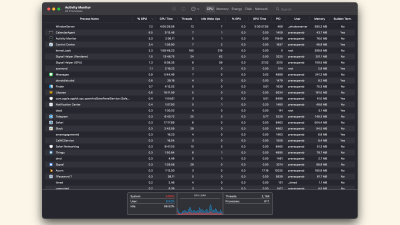
task manager
Work
Process Hacker Is A Powerful Task Manager Clone
6:00AM The How-To Geek | Windows only: System information utility Process Hacker is an open-source, portable task manager clone with loads of powerful features. More »
Work
SuperF4 Truly Kills Faltering Windows Apps
11:00PM Kevin Purdy | Windows: There’s a certain hierarchy to how you can close Windows apps, including the polite “File->Quit” menu option and the more thorough “End Process” in Windows’ task manager. SuperF4, however, is like DDT for apps you want gone right away. More »
Work
Iotop Tells You What Process Is Grinding Your Hard Drive
4:00AM The How-To Geek | Linux only: If you’ve ever wondered what is thrashing your hard drive but can’t figure out which process it is, you can use the iotop utility to help. More »
Fix
Process Blocker Is A Brick Wall For Unwanted Windows Processes
12:00AM Kevin Purdy | GoogleUpdate, ctfmon, iPodService—these rascally, auto-starting services and others like them can drive a memory-sensitive Windows user bonkers. Process Blocker does what it sounds like, with a DIY but simple method of choosing targets. As noted in the instructions, Process Blocker runs as a system service, watching for certain processes and killing them off if it finds them running. The app won’t provide you a list of background services or apps for selection, though—this is a text affair. If you look in your Task Manager (Control-Shift-Escape), or your super-charged Process Explorer replacement, and notice that, for instance, GoogleUpdate.exe refuses to stop starting up, even after you’ve told it not to do so with Revo Uninstaller or another app, simply add it to the list.txt file included in Process Blocker’s program folder. More detailed instructions on adding and re-starting the service are at the program site. You’ll know it’s working if you see a system tray pop-up noting that “SuchAndSuch.exe is blocked” when it tries to jump in and drink up a little memory. You’ll definitely want to make sure the processes you’re trying to block can and should be blocked off, so making a few trips to Process Library wouldn’t be a bad idea. And if you just want to throttle back an auto-starting app’s memory use, not kill it entirely, try the previously mentioned Process Lasso, or dig through our guide to reclaiming memory by mastering Windows Task Manager. Process Blocker is a free download for 32- and 64-bit Windows systems (2000 and later). Process Blocker for Windows [via gHacks] More »
Fix
Yawffer Puts Unruly Processes In Timeout
6:00AM Lifehacker US Edition | Windows only: Oddly named system utility Yawffer can freeze an out-of-control process in place, letting you shut down other running applications or save your work. Yawffer is actually meant to be a system monitoring tool, but it frankly doesn’t do that terribly well-the killer feature is found by right-clicking on the tray icon and choosing Freeze a Process from the menu, at which point you can click on a process in the list and Freeze it. If you want to test this feature out for yourself but don’t have a problem app at the moment, you can use Max CPU to peg your processor at 100%, and then freeze the process using Yawffer, which will immediately drop your CPU usage back to normal levels. This application could be a useful addition to your toolkit the next time your favourite Windows application goes out of control and you’d like to just pause it momentarily. For a more automated solution, you can use previously mentioned Process Lasso, or you can always free some memory by mastering Task Manager. Yawffer [via Life Rocks 2.0] More »
Work
Extended Task Manager Gives You A Broader System Overview
5:00AM Jason Fitzpatrick | Windows only: Extended Task Manager —a robust Windows Task Manger replacement—will help you get a clear view of what is going on with your system, from random disk writing to locked files. Extended Task Manager goes above and beyond the basics of the default Windows Task Manger to give you information on disk activity, network usage, which ports are open, and more. All the graphs have mouse-over support, so if you see a spike in CPU usage, you just put the mouse over the spike and see which program was chewing up your cycles, and the same goes for disk usage and networking. If you’re new to tinkering in the bowels of a task manager, check out our guide to mastering the Windows Task Manager; all of the principles there apply to the souped-up Extended Task Manager. If you’re interested in trying out other task manager alternatives, take a peek at previously reviewed TaskExplorer. Extended Task Manager is freeware, Windows only. Extended Task Manager [via Ask The Admin] More »
Organise
AnVir Task Manager (Full) Free Today Only
10:00PM Kevin Purdy | Windows only: AnVir Task Manager, a veritable Leatherman multi-tool of a system utility, is available in its full edition today only through the Giveaway of the Day web site. The app features all of the abilities and tools that Adam dug about the free version, but adds a few unique features, most noticably “improved memory usage” and a built-in database of Windows processes and what they do, along with on-the-spot, up-to-date virus checking. Even if you only run once to fine-tune your newly-installed system, AnVir is worth the slim download. AnVir Task Manager is for Windows systems only; the Giveaway protocol requires downloading, installing, and activating the software before the offer expiration. AnVir Task Manager 5.4.1 [Giveaway of the Day] More »
Organise
Checkvist Simplifies Outlines
3:00AM Gina Trapani | The problem with many online to-do list managers is that they don’t support sub-lists for tasks that involve several steps—but outliner webapp Checkvist does just that, and with a clean interface that supports tons of keyboard shortcuts. Sign up for a free account at Checkvist to make your first list (hit Enter to add a task). Each list node can have a note attached to it, and any number of sub-nodes (Shift+Enter to enter one). Reorder your list items (Ctrl+arrow) and mark an item complete by selecting it and hitting the Spacebar. Export your lists from Checkvist to plain text, HTML, or OPML formats, and invite others to collaborate on the list with you. Here’s what the Checkvist intro list (with some additions) looks like. More »
Work
Process Manager Prioritises, Kills Running Apps Via Right-Click
8:00AM Adam Pash | Windows only: Free application Process Manager adds an entry to your right-click context menu that adjusts an application’s priority or kills the app. Once Process Manager is running, the kill and priority options are only available when you’ve right-clicked a window’s taskbar item. That’s pretty much all there is to it. The app runs in your system tray and eats less than 1MB of RAM. While Process Manager doesn’t do anything you can’t already do from the Windows Task Manager, it does provide quicker access to a couple of handy functions and is worth a try if you do much force-quitting. Process Manager is a free download, Windows only. Process Manager [SourceForge via Life Rocks 2.0] More »
Work