tags
Six Best MP3 Tagging Tools
2:00AM Jason Fitzpatrick | A well tagged MP3 collection makes everything from organisation to playback easier. Keep reading for a closer look at your fellow readers’ favourite tools for cleaning up their MP3 tags in this week’s Hive Five. Photo by Darin Barry. More »
Design
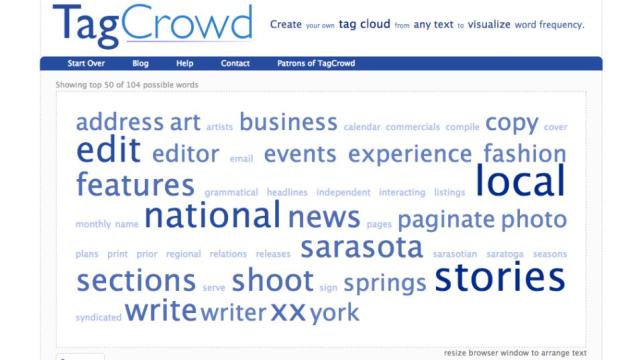
TagCrowd Creates Word Frequency Cloud
11:30PM Jason Fitzpatrick | Whether you’d like to hunt down words you overuse or you’re looking to turn text from your manifesto into word art, TagCrowd can create a simple tag cloud based on the frequency of words. More »
Fix
Beat Your MP3 Tags Into Shape With These MediaMonkey Scripts
9:00AM Jason Fitzpatrick | Inconsistently tagged MP3s can be a real pain. Avoid hours spent digging through your music aligning bands and album tags with these hard-working Media Monkey scripts. More »
Organise
TaggedFrog Organises Your System’s Files Web 2.0 Style
9:00PM Kevin Purdy | Windows only: Use the same kind of quick-thinking, fast-organising tags you use to organise your web life with TaggedFrog, a free Windows utility that sorts and finds any file you can throw at it. Windows Vista (and the Windows 7 beta) already have native tagging systems, and OS X has long offered search-able metadata as a simple filing system. Vista’s tagging is limited to certain file types, though, and it’s in need of a central tag station, much like the one TaggedFrog provides. TaggedFrog tags any file you have with any words you want, so you can selectively tag files to separate projects, keep a track of any MP3s with curse words in them, or whatever quick-search needs you have. As you search, a “cloud” view shows the most-accessed, or most-tagged, keywords, and you can narrow your search by file extension for heavily-used tags. There’s a portable, no-install version available at the program page, so even if you only want to try out TaggedFrog for a quick MP3 organisational mission, you’re good to go. TaggedFrog is a free download for Windows systems, requires the .NET 2.0 framework for both the installed and portable versions. TaggedFrog [via FreewareGenius.com] More »
Organise
Bulk Edit Tags On Delicious
1:00AM Kevin Purdy | It’s tucked away, but bookmarking site Del.icio.us now offers bulk tag editing (in, of course, beta) for group tagging/un-tagging and sharing/un-sharing. Helpful stuff, especially for pesky tag typos. Thanks Gergo! More »
Organise
TagSifter Slices and Dices Your Bookmarks by Tag
5:00AM Gina Trapani | All platforms with Firefox: If you like Delicious’ ability to filter bookmarks by multiple tags (like “programming” and “tutorial”), you’ll love the TagSifter extension for Firefox. Now that Firefox 3 supports bookmark tagging—and you’ve got keywords assigned to all your favourite URLs—TagSifter can help you navigate, search, and drill down to exactly the link you’re looking for. Like Delicious, TagSifter adds related tag suggestions, and offers advanced search operators that can find exactly the bookmark you’re looking for. For example, the expression: More »
Organise
Tagmarks Makes It Easy to Tag Your Firefox 3 Bookmarks
9:00AM Adam Pash | Firefox only (Windows/Mac/Linux): If you like the concept of bookmark tags introduced in Firefox 3 but just can’t seem to get into the habit of using them, Firefox extension Tagmarks adds tag images to your awesome bar for quick and easy bookmarking and tagging. Once installed, you’ll see several new images next to the default star when you hover your mouse over the star. Click one to both tag and bookmark that page in one fell swoop. You can click on as many of these tags as you want, and when you view your bookmarks, you’ll notice text tags have been automatically assigned. Tagmarks is free, works wherever Firefox does. Hopefully we’ll see a more customisable version of Tagmarks in the future. Tagmarks [Firefox Add-ons via CyberNet] More »
Design
Wordle Creates Cloud Art from Text or Tags
7:00AM Kevin Purdy | Stylish Java applet Wordle creates custom word clouds out of any text you throw at it. You can also have it parse your Del.icio.us tags for a cloud, but either way, the real fun is in customising the layout, tag colours, fonts, and much more. Once you’re done, you can share your clip in the site’s gallery, print it out, or save it using your own screen-capture tool. It makes for nice backgrounds and icons, but it can also be helpful for students and anyone trying to parse a text for emphasis—the clip above is from the mammoth last paragraph of James Joyce’s Ulysses, which can certainly hide its meanings pretty well. Wordle [via MakeUseOf.com] More »