Work

NexTab Cycles Through Tabs In Nearly Any Mac App With A Tap

Mac: NexTab is a handy utility that lives in your menubar and adds some really nice functionality to your trackpad. If you’re in any tabbed browsing application, whether it’s a web browser or not, you can move left and right through tabs with just a tap.


October 6, 2011
Work

Disguised Tabs Hides Chrome Tabs With One Keystroke

Chrome: If you need to hide one of your Chrome tabs in a hurry, the Disguised Tabs extension will move it to the background and change its tab name to the unassuming “Google”.


September 17, 2011
Work

TooManyTabs Frees Up Memory In Chrome Without Losing Your Tabs

Chrome: If you find yourself opening way too many tabs in Chrome and sucking up memory, TooManyTabs can suspend a few of them for awhile to make it run a little smoother, while keeping quick access to those tabs for later.


August 16, 2011
Work

Tabulate Turns All Your Chrome Browser Tabs Into A Single URL

When you come across a single website you want to send to a friend, that’s easy to do. If you have a bunch of sites open and you want to share them all, things get a little more complex. Tabulate expedites the process of sending many URLs by taking all the open tabs in a given window and providing you with a single short URL that links to them all.


August 15, 2011
Work

Tabs To The Front Automatically Focuses New Chrome Tabs

Chrome: When you right click on a link in Chrome and open it in a new tab, it opens it up in the background. Tabs to the Front switches this behaviour to automatically focus on your newly opened tab.


July 30, 2011
Work

Use Your Mouse To Kill And Spawn Browser Tabs

Your middle-click mouse button — also known as your scroll wheel — can be an effective tab management tool in both Chrome and Firefox. Here are two shortcuts it can perform.


July 16, 2011
Work

How To Quickly Open Tabs In The Background In Your Web Browser

Sometimes you’re browsing along the web and you want to open a page but not bother to look at it right this second. You could right-click the link and choose “Open Link in New Tab”, but this little keyboard shortcut can save you the trouble.


July 5, 2011
Work

iChromy Browser For iPad Looks And Feels Like Chrome

iOS: iChromy stands out from the pack of iPad browsers in both looks and features. Built to resemble Chrome, it also offers tabbed browsing, an incognito window and an omnibox (a shared box for typing in URLs and search terms).


July 2, 2011
Work

Manage Your Google Chrome Tabs And Windows From The Keyboard

When you enter a website into the omnibar in Chrome, you don’t necessarily want it to open in the same tab or window. Fortunately there are a bunch of shortcuts to let you control exactly how Chrome handles your new destination.


June 21, 2011
Work

Enable Thumbnails In Firefox’s ‘List All Tabs’ Menu

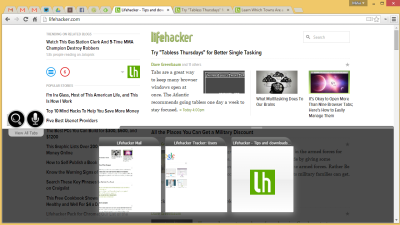
If you keep a slew of tabs open in Firefox, you’ve probably used the “List All Tabs” menu on more than one occasion. With a few about:config tweaks, you can add thumbnails to this menu for even simpler tab jumping.