tabbed browsing

Tabs Outliner Keeps Track Of All Your Tabs In An Easy-To-Browse Tree

Chrome: You won’t find a shortage of tab management extensions out there, but Tabs Outliner hopes to help you manage tabs better by showing all your open tabs in a tree.


Contextinator Organises Your Web Browsing Into Manageable Projects

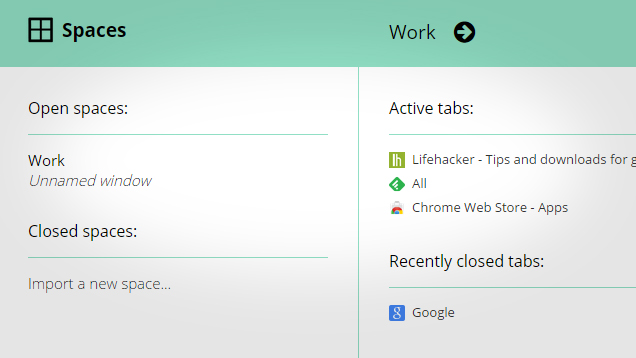
Chrome: If you’re researching a project online, or you tend to end up with hundreds of tabs open, it’s hard to keep track of everything. Contextinator is a Chrome app that helps manage those sessions by dividing them up into various projects.


TabJuggler Makes Moving Around Tabs In Chrome A Breeze

Chrome: When you get to that point in the day where you find yourself with 20 tabs open in several windows, everything can suddenly seem chaotic. TabJuggler is a Chrome extension that offers a variety of ways to wrangle them in and manage them a bit better.


Intab Opens Links Side-by-Side With Your Current Page

Chrome: Sometimes, you don’t really need to open a new tab when you want to check out a link; you just want to get a quick look at where the link goes. Intab is an extension that essentially adds a “quick look” option to those links you find.


Why You Should Never Have More Than Nine Browser Tabs Open

I often hear people complain that their browser is slow and unstable. It’s easy to blame browser developers for using sloppy coding practices and not managing memory correctly, but in my experience there’s a more common element: people who insist on having dozens of browser tabs open at once. That’s an unproductive and pointless practice and everyone should stop it immediately.


Easily Browse The iTunes Store By Dragging Icons To Your Browser

We all know that iTunes and the Mac App Store are available from any web browser, but they don’t exactly allow you to “browse” the store like you can in iTunes. If you want the flexibility of a tabbed web browser with the browsing ability of iTunes, you can get the best of both worlds with a little drag-and-drop action.


Clover Brings Chrome’s Tabbed Interface To Windows Explorer

Windows: Do you want tabs in Windows Explorer to work the same way they do in Google Chrome? You can now mimic the look and functionality of Chrome’s tabs with an app called Clover.


Make Your Google Search Results Always Open In A New Tab

If you’re doing more than a simple search on Google, you probably want those links to open in a new tab instead of the current one so that your original results are always available. Here’s how to make Google open your results in a new tab every time.


Set A Custom New Tab Page In Firefox

Firefox: If you’re not a big fan of the speed dial tab in the newest version of Firefox, Mozilla Links shows us how you can customise the page to load any site of your choosing with a simple edit to the about:config file.


Chrome Now Syncs Open Tabs Across Devices

Google Chrome now keeps all of your opened tabs in sync across your desktop, laptop and Android device (if it’s running Ice Cream Sandwich and has Chrome for Android installed). You never have to worry about leaving a web page behind.


Lifehacker Is Hiring a PHP Developer!

Take pride in writing clean code? We’re looking for an autonomous PHP developer to join our rapidly-growing team at Allure Media. Apply within.

World of Servers