system monitoring

Work

Speccy Gives You Detailed Information About Your Hardware

7:30AM Whitson Gordon | Windows only: Planning an upgrade soon? Save yourself the web searches for your specs and download Speccy. Speccy does a quick scan of your machine and gives you a complete rundown of every piece of gear that’s in your computer. More »
Work

Five Best Windows Task Manager Alternatives

3:00AM Jason Fitzpatrick | The Windows Task Manager is a functional but basic tool for keeping an eye on applications and activity on your computer. If you want to go beyond the built-in tool and get a closer look, check out today’s offerings. More »
Work

Process Hacker Is A Powerful Task Manager Clone

6:00AM The How-To Geek | Windows only: System information utility Process Hacker is an open-source, portable task manager clone with loads of powerful features. More »
Work

BatteryCare Displays Detailed Battery Information

4:00AM The How-To Geek | Windows only: System monitoring utility BatteryCare shows detailed information about your battery’s wear level, capacity, and consumption—and even shows the CPU temperature as an added bonus. More »
Work

Yet Another Process Monitor Manages Running Tasks

4:00AM The How-To Geek | Windows only: System monitoring utility Yet Another Process Monitor is not just a powerful way to see what’s going on under the hood—it’s also portable. More »
Work

Drive Manager Provides A Detailed Overview Of Your Drives

1:00AM Jason Fitzpatrick | Windows only: There are a plethora of tools available for checking drive information, status and health. Drive Manager conveniently rolls a multitude of features into a single application that covers a variety of needs. More »
Work

GKrellM Monitors Is A Highly Customisable System Monitor

11:30PM Jason Fitzpatrick | Windows/Mac/Linux: GKrellM is a free system monitor that is highly customisable right out of the box with a host of settings, further enhanced by a large pool of diverse plugins. More »
Work

JustCloseSomeTasks Saves Memory By Closing Inactive Apps

12:00PM Lifehacker US Edition | Windows only: Task cleanup utility JustCloseSomeTasks monitors your running applications for inactivity and marks them for closing to free up precious memory and equally precious taskbar space. Using the application is as simple as checking the boxes for the applications you want to close and clicking the Close Tasks button or using the Ctrl+[ keyboard shortcut (configurable in the preferences). Once an application has been running but not used for more than 5 minutes, the boxes are checked by default, but you can exclude an application through the right-click menu—useful for applications like email that you might want to keep open all the time. I've found this application especially helpful for cleaning up the dozens of Windows Explorer panels that clutter my taskbar after a few hours of working—letting me close only the ones I haven't used in a while. JustCloseSomeTasks is a free download for Windows users. For a similar application with more features, check out previously mentioned EndItAll or just learn to master the task manager yourself. JustCloseSomeTasks [via Download Squad] More »
Work

TinyResMeter Monitors Your System Stats

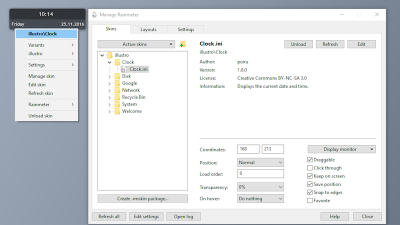
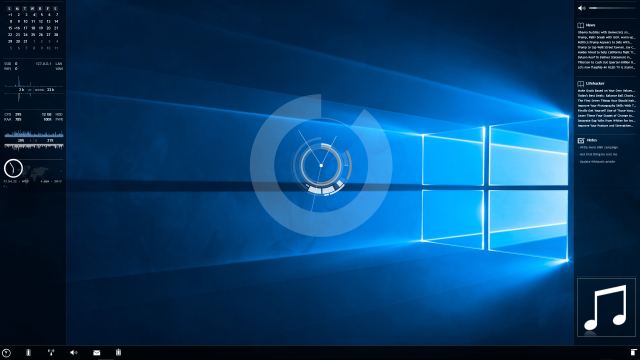
11:30PM Jason Fitzpatrick | Windows only: TinyResMeter is an ultra-lightweight and spartan resource metre. While nowhere near as flashy or configurable as Rainmeter, it does run with a much smaller footprint and as a portable application. You can display dozens of variables ranging from system up time to hard disk capacity to the number of processes and threads you have. You can change the colour of the interface and have it displayed in a vertical block or a horizontal band. For another alternative, check out Moo0 SystemMonitor. TinyResMeter is a free portable application, Windows only. Thanks Beldar! TinyResMeter More »
Organise

AnVir Task Manager (Full) Free Today Only

10:00PM Kevin Purdy | Windows only: AnVir Task Manager, a veritable Leatherman multi-tool of a system utility, is available in its full edition today only through the Giveaway of the Day web site. The app features all of the abilities and tools that Adam dug about the free version, but adds a few unique features, most noticably “improved memory usage” and a built-in database of Windows processes and what they do, along with on-the-spot, up-to-date virus checking. Even if you only run once to fine-tune your newly-installed system, AnVir is worth the slim download. AnVir Task Manager is for Windows systems only; the Giveaway protocol requires downloading, installing, and activating the software before the offer expiration. AnVir Task Manager 5.4.1 [Giveaway of the Day] More »