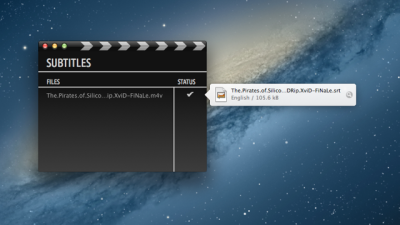
If you download subtitle (SRT) files separately from a movie on your hard drive, free web service EndlessSubtitles will help you get them in sync. More »
YouTube’s closed caption options are a useful option for the hard of hearing (or language learners), but a new enhancement letting you view the entire transcript for a video makes them useful for those of us who’d rather read text than watch a video. More »
Other networks are slowly gaining ground in catch-up TV, but the ABC’s iView continues to lead the field. Its latest enhancement? Closed captions for every program. More »
SubtitleSplit is a web-based tool for not only searching out subtitles but also “fixing” subtitles through various actions like synchronisation, splitting and merging. More »
The proliferation of online media has made is really easy to track down new and interesting things to watch that aren’t always in your native language. Subs.to makes it easy to find subtitles. More »
Don’t let a lack of subtitles detract from your enjoyment of a movie or television show. Visit AnySubs and grab a set of subtitles. More »
Want to add subtitles or captions to your YouTube videos? Webapp CaptionTube can walk you through the process, helping create captions which you can upload in XML format straight onto YouTube. More »
Windows only: If you’ve wanted to put the subtitles for a video directly into its own file for maximum compatibility across players and platforms, VirtualDub and VobSub will help you merge the two. Why would you want to embed your subtitles, when almost all popular media players—like the ever-useful VLC—will load subtitles along with the master video file? Smaller media devices like the iPhone and PSP won’t recognise subtitles, and burning your subtitles to a disc for playback in DVD players is an absolute crap shoot of compatibility. If the subtitles are part of the video file itself, they can be displayed on any device that can display the video. Simon at technology blog MakeUseOf has put together a step-by-step tutorial on using the free programs VirtualDub and VobSub to embed subtitles into video files. If you don’t already have the screen text for your video, make sure to check out Sublight (Windows) and Subdownloader (cross platform), which we’ve recommended for searching and matching subtitles. VobSub uses the VirtualDub engine the same way as the previously reviewed DiVXLand Media Subtitler, although the interface on VobSub is slightly more user friendly. The entire process outlined below involves a re-encode of the video file and is quite CPU intensive, so expect the process to be nearly real time—a two hour movie takes roughly two hours to embed with subtitles. Hit the link below for the full native subtitle lesson. Photo by WorldIslandInfo. How to Add Subtitles to a Movie or Television Series [MakeUseOf]
Windows only: Sublight is a subtitle organizer with a built in search function. Users can search for movie and television show subtitles in multiple languages. Sublight pulls from several popular subtitle databases to save you the hassle of individual searches on each site. The interface is easy to use, although with television shows especially, it’s best to abandon the automatic search and manually search. For another great subtitle finder, check out Subdownloader. Sublight requires Microsoft .Net 2.0 or greater and is freeware, Windows only. Sublight [via SimpleHelp.net]