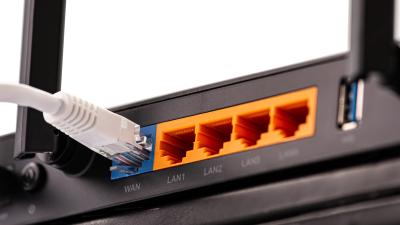
Dear Lifehacker, I just paid for a Megaupload premium account and I will be uploading a lot of files to it. Right now, I am on TPG’s Unlimited plan which has an upload speed of 1Mbps. Does anyone else in Australia offer a faster upload speed than this? I am willing to go for a new connection alongside TPG if needed. Cheers, Big Uploader More »
Many of us use public DNS servers like Google Public DNS and Open DNS for faster web browsing and other benefits. But in some cases your ISP’s DNS server is much faster. Weblog Digital Inspiration illustrates why and when this might be. More »
When most of us choose an SD card for our digital camera, we probably don’t look far beyond its capacity. Technology blog Tested shows us, though, that the speed of your SD card can make a difference in high quality photo taking. More »
Few apps test the efficiency of your net connection like streaming video. YouTube’s Video Speed History feature tells you how well your ISP stacks up. More »
Google has taken a more aggressive approach to moving users away from Internet Explorer, recommending that Gmail users install Firefox or Chrome if they want to see Gmail run “an average of twice as fast.” When you log into Gmail using Internet Explorer, you’ll see a “Get faster Gmail” link in the set of links across the top of the page. If you follow the link in IE7, you’ll find yourself at this page (pictured above), which claims that Gmail runs an average of twice as fast on Firefox 3 or Chrome than it does IE. Strangely enough, that same link in IE6 takes you to this page, which recommends upgrading to IE7—so you’re in for a bit of a rollercoaster if you follow their suggestions. We practically never open up IE unless we have to around here, so we certainly can’t say from experience that IE runs Gmail that much more slowly, so if you’ve got more experience switching between browsers with Gmail, share your experience in the comments.
Get faster Gmail with a faster browser [Google Support via Digital Inspiration]Windows only: Instead of dropping cash on a new stick of RAM for that old computer, go grab a free licence for the normally $20 memory manager TweakRAM—today only. TweakRAM speeds up your machine by optimising Windows memory management, and when your computer slows to a crawl, you can use TweakRAM to manually free up memory. The developers say: