scanners

Design

Scan Tailor Cleans Up Scanned Pages

5:30AM Lisa Hoover | Windows/Linux: Tired of fiddling with scanned pages to remove borders, correct alignment and otherwise prettify them before storing or emailing them? Then Scan Tailor could be right up your alley. More »
Work

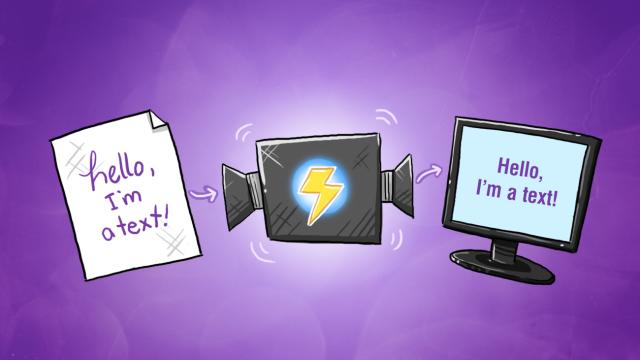
OnlineOCR Converts Your Scanned Documents To Editable Text

12:30AM Jason Fitzpatrick | A page of printed notes from an instructor, an old proposal you want to edit, a letter your boss wants turned into a template, OnlineOCR can help take an image of text and turn it into an editable copy. More »
Fix

How To Build A DIY Digital Camera Scanner

6:30AM Adam Pash | Instructables user DHagen was sick of feeding coins into a public copy machine, wanted quality copies, but didn’t want to spend much cash to get his own photocopier or scanner, so he did what any DIYer with a digital camera would do. More »
Fix

Camouflage Your Scanner As A Book

1:00AM Jason Fitzpatrick | If your scanner doesn’t really go with your office décor, why not camouflage it to look like something else? Here’s a great example of spending very little to give your workspace a unique look. More »
Fix

Create An iPhone Document Scanner From Cardboard

1:00AM Kevin Purdy | You might need a scanner every so often, but they’re far too big for their occasional usefulness. If you’ve got an iPhone and some time to cut cardboard, you can ditch some paper and capture documents without the glass bed. More »
Fix

Turn A Scanner Into A Camera

10:00AM Lifehacker US Edition | If you have an old flatbed scanner laying around or you’ve decided your scanner is a useless gadget, repurpose it weekend. The industrious tinkers at Make magazine have put up a tutorial on turning your scanner into a primitive camera. The results have a distinctly spooky appearance, almost reminiscent of vintage daguerreotype photographs. The project doesn’t require taking apart the scanner or permanently altering it in anyway, so you can experiment freely without actually sacrificing your scanner to the tinkering gods. You’ll need some inexpensive parts like black foamcore board, a magnifying glass and razor. For an overview of the process and a list of necessary parts check out the video below: More »
Fix

Let Google Convert Your Scanned PDFs To Text

12:00AM Kevin Purdy | Got a bunch of scanned documents in PDF format but lack for good text-converting OCR software? Google is now indexing their text conversions of PDFs, which means anyone with access to open web space can let their monstrous servers do all the heavy lifting. The Digital Inspiration blog recommends putting your PDF files in a folder and creating a page that links to all of them. If you’re a bit concerned about dropping all that text into the public’s search results and you own your space, you can use Google’s Webmaster Tools to reign in what gets scanned and indexed on your site, although you should assume anything you put online can be found by those looking for it. Convert Scanned PDF Documents to Text with Google OCR [Digital Inspiration] More »

Paper to PDF While You Roam

12:43AM Gina Trapani | Good news for Mac users who want to go paperless on the road: Fujitsu’s released the portable ScanSnap S300M, the similar model scanner we used to scan paperwork to PDF in one step, but for Mac. More »

Scan Paperwork to PDF in One Step

4:00AM Gina Trapani | Even if you do all your banking online, there’s still one ugly time of year when you’ve got to deal with a pile of financial paperwork, and that’s tax time. If your accountant accepts forms via email, or you just want to save tax documents on your computer, you want a quick and easy way to do it. While most scanner workflows require several steps to digitise documents, the Fujitsu ScanSnap transforms paper into PDF with a single button press. No one wants to spend more time than they have to on receipts, 1099’s and W-2’s. Let’s take a look at how to instantly capture tax-related and other important paperwork to your hard drive on April 15th and throughout the year with the ScanSnap. More »

“Photograph” Small Items With Your Scanner

9:00AM Gina Trapani | When you’re selling a small item online and you need a plain, closeup photo, blogger Mason says you can avoid flash washout or screen reflections using a flatbed scanner instead of a digital camera: Cell phones, mp3 players, discs, pretty much anything with a basic dimension can be scanned on your flatbed scanner…. To the right is a sample of a phone that was scanned. Not bad eh? What the…..is that me in my tighty whiteys reflected in the screen!?!? Oh nope, wait, it was done using my flatbed scanner. Seems like a good way to get a blank background in a photo with no setup. How do you get good photos of the stuff you’re selling online? Let us know in the comments. Scanner/Camera?? [the neverx blog] More »