honeycomb
-
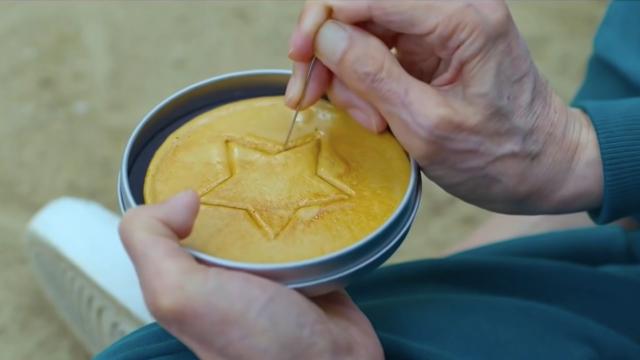
Here’s How You Can Make Squid Game’s Dalgona Candy At Home

One of Squid Game’s sinister challenges asks contestants to carve pictures out of dalgona candy. Here’s how you can recreate the recipe at home.


-
News360 Delivers Personalised News To Your Mobile Devices Based On Your Likes And Interests

iOS/Android/WP7/Playbook/Web: personalised news app News360 uses your Facebook likes, Twitter profile, Evernote notebooks and Google Reader subscriptions to deliver highly personalised news to your desktop or mobile device, regardless of which one you are carrying.

-
Buying A Full-Price Android Tablet Looks Risky
Android tablets are great for entertainment: they work with Flash, they offer a huge and open market of free and paid apps, and you can set one up easily without needing to hook into a computer. The one thing you shouldn’t do? Buy one the second it hits the market.
-
The Best New Features In Android Honeycomb 3.1
Android Honeycomb 3.1’s a small but totally excellent update for Android tablets. A slightly smoother interface is packaged with two substantial features: improved flash performance (it’s really, really better!) and USB device compatibility (like a real computer!).