home screens

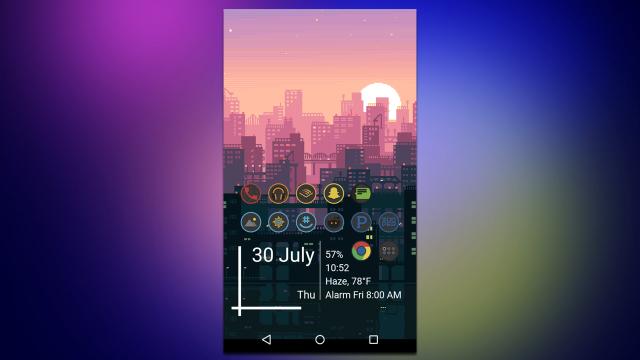
The Minimal Earth Android Home Screen

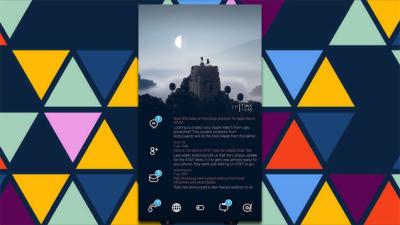
Lifehacker reader LivingstonTheThird modelled his home screen around a minimal space-themed wallpaper. It has plenty of widgets that blend in with the background as if they were there all along.


Facebook Home Brings Friend-Focused Home And Lock Screens To Android

Facebook is not making its own phone, or a version of Android, because Facebook thinks Android works just fine. Its Facebook Home suite of apps, announced today, replaces the lock and home screens that normally hold your Android apps with updates, pictures and messaging, all delivered through Facebook.


The Almost Argyle Android Home Screen

Lifehacker reader dka97 used a custom grid and a few other tweaks to make his iPhone home screen easier to browse. Here’s how to put it together.


The Dialler Android Home Screen

Lifehacker reader Ryan Thistle made his home screen a little easier to use with big, tiled icons in a layout similar to the dialer on a phone. Here’s how he put it together.


The Royal Sands iPhone Home Screen

Lifehacker reader Albert Shin gave his iPhone an overhaul now that iOS 6 has been jailbroken, using some text icons and a theme based off the DoTA 2 video game. Here’s how he put it together.


The Docked And Tiled Android Home Screen

Lifehacker reader Elysium1215 put together a neat home screen with a dock on the side and a very cool tiled set of icons. Here’s how to put it together.


The Corner Text Android Home Screen

Lifehacker reader SPoZB gives the minimalist look a bit of extra style with some cool text widgets. Here you can see he has put one in each corner of his Android home screen.


The Modern Art Android Home Screen

Lifehacker reader Aaron Gable put together this home screen as a tribute to one of his favourite artists, Piet Mondrian. Here’s how he put it together.


The Holo Cards Android Home Screen

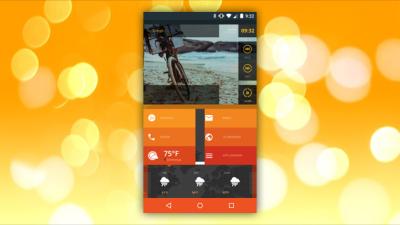
Lifehacker reader Thand shows off his clean home screen inspired by the popular Holo Light interface. It features lots of widgets and a bright, colourful aesthetic.


The Right-Justified Android Home Screen

Lifehacker reader WharlsScreenName has a very minimal setup with two handy launchers for all the most important apps, justified to the right of the screen. Here’s what you need to recreate it.


Lifehacker Is Hiring a PHP Developer!

Take pride in writing clean code? We’re looking for an autonomous PHP developer to join our rapidly-growing team at Allure Media. Apply within.

World of Servers