hdtv

Lifehacker 101: Ultra HD TVs

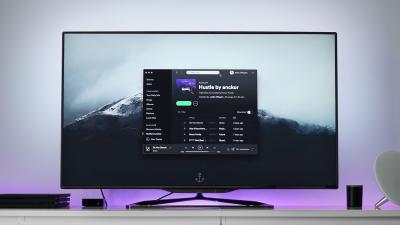
4K TV, or ‘Ultra HD’ is the new buzzword being spouted by television manufacturers as they smartly side-step the Hindenburg-sized catastrophe that was 3D TV. If you listen to the hype, the next-generation of televisions are an industry-changing revolution that will make your 1080p displays look like an oil-stained nickelodeon canvas from 1915. (They said the same thing about 3D but this time they really mean it. Honest.)


Ask LH: Is There A Way To Improve Standard Definition Channels On My HD TV?

Dear Lifehacker, I just bought a 55-inch Samsung 3D LED TV and the standard-definition images are EXTREMELY poor and are really unacceptable. When watching soccer or cricket I can’t make out the individuals — they are just a blur. I am quite literally astounded that a modern piece of technology can’t convert lower resolutions so that the picture is viewable. Is there anything that can be done? I am desperate! Thanks, Archie


Winscape Turns Your HDTV Into A Window

newVideoPlayer( {"type":"video","player":"http://www.youtube.com/v/Vqu9NuINKbc&hl=en&fs=1&fmt=22","customParams":[] ,"width":570,"height":412,"ratio":0.824,"flashData":"","embedName":null,"objectId":null,"noEmbed":false,"source":"youtube"} );

Mac: You know the movie version of the future where instead of real windows, we’ve got virtual ones that offer beautiful views of anything we want? Application Winscape pairs your Wiimote with a flat panel TV (or two) to do just that.


Kylo Is A Big-Screen, TV-Optimised Web Browser

Windows/Mac: Kylo is a Mozilla-based web browser optimised for surfing the web on your HDTV from the comfort of your couch. Check out our screenshot tour to see it in all its 3m display glory.


Snow Leopard Is A Bit HDTV-Friendlier

With great media centre applications like Boxee, XBMC, and Plex for OS X, it’s more tempting than ever to hook your Mac up to your HDTV. Now that you’ve upgraded from Leopard to Snow Leopard, you’ll find Snow Leopard’s gotten HDTV-friendly.


Hide Your HDTV In Style

Everybody’s going bigger with the move to HDTVs, but the thinner footprint of flat panel televisions has opened up all kinds of creative methods for hiding the TV out-of-site when you’re not using it.


Top 10 Cheap Or Free Home Theatre Upgrades

You’ve got a mind-blowing picture, surround sound, and streaming content set up, but it wasn’t cheap. Heal your wallet with ten upgrades, fixes, and setup tips that take your system to 11 on the cheap. Photo by chunkysalsa.


Calibrate Your HDTV?

As the HDTV continues its march into living rooms, the New York Times points out that most new HDTVs need to be calibrated if you want to the best picture. The article points out several options for how you can go about calibrating your HDTV, from paying your electronics store to do it for you (the expensive way) to DIY calibration using the THX Optimizer, a tool built into many DVD menus. Since many of you have probably gone done this road already, let’s hear how you calibrated your HDTV—including what tools you used and how you feel about the results—in the comments. For a more granular approach to fixing specific picture problems, check out how to troubleshoot your HDTV picture. This Is Not a Test: Calibrate Your HDTV [NYT]


Improve Your HDTV Experience

Setting up a new HDTV requires a bit more nuance than your old TV probably did, so Forbes.com has rounded up 10 tips for improving your HDTV picture to help you get the most from your new box. For example: It’s important to change the TV’s picture settings, which include brightness, sharpness and contrast, in order to find the balance that looks right to your eyes. Out of the box, an HDTV’s picture settings aren’t tuned to look good in your living room. They’re configured to look appealing and eye-catching in a store.

If you recently snagged a sweet new flat panel, let’s hear how you achieved optimal picture and performance in the comments. Photo by William Hook. Sharpening Up Your New HDTV [Forbes via Curbly]


Channel 7 & 10 launch HD channels this week

Channels 7 and 10 are both beginning High Definition TV broadcasts this week. Seven’s new channel, 7HD, which launches today, will have up to 50 hours a week of unique programming which it won’t show on its main standard definition channel. Ten-HD will begin broadcasting on Sunday, and will likewise show unique content. While some of this “unique content” is stuff considered too niche for the main channels (gridiron anyone?), Seven will also invest in making shows specifically for HD, according to a story in the SMH today.So do you have an HD tuner or set top box? I’d be interested to know your thoughts on HD-TV so far.


Lifehacker Is Hiring a PHP Developer!

Take pride in writing clean code? We’re looking for an autonomous PHP developer to join our rapidly-growing team at Allure Media. Apply within.

World of Servers