Chrome: Most of us still use RSS regularly, but one potential annoyance is an RSS feed that truncates the article for the purpose of getting you to click the link and leave your RSS reader. Google Reader Inline is a Chrome Extension that lets you read the full article without leaving Google Reader to do it.
Despite the increase in the variety of ways you can consume media and learn about news, Google Reader is still the default news reader for many. While you can always find a good desktop RSS reader to suit your needs, many people still prefer the plain old web experience. Just because you prefer the web app doesn’t mean you can’t overhaul the look and feel though, so let’s take a look at some of the best extensions, styles and tweaks you can use to make the experience better.
If you aren’t a fan of Google Reader’s new interface, this add-on will take out all the clutter, giving you a pretty, readable version of the current article and nothing else.
Chrome: If you prefer a simplified, clutter-free interface for your RSS feeds, Google Reader Readable is an extension that cuts all the clutter and displays single posts from your feed in a clean, minimal layout.
Dear Lifehacker, I subscribe to a lot of news feeds, which makes me feel like I’m on top of everything on the internet — except now I’m feeling overwhelmed with all the folders and hundreds of feeds and constant flood of posts in my newsreader. I still want access to all the news and information, but what can I do to better organise it so I stay sane?
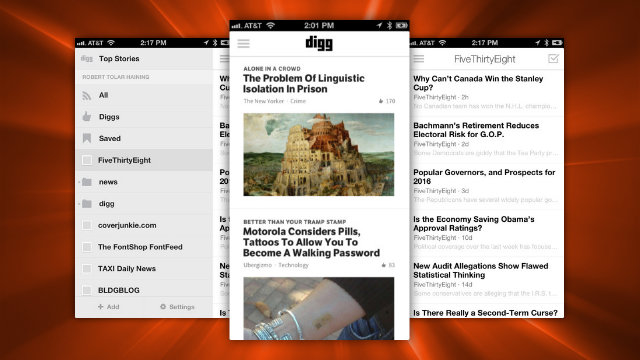
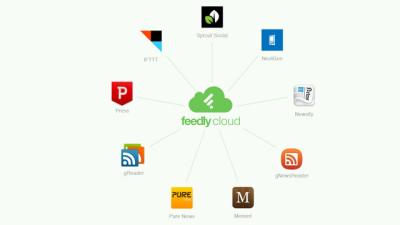
Google’s changes to Google Reader this week upset a lot of people, and it got us wondering how many of you still use Google Reader as your preferred RSS newsreader when there are so many other options. This week, we’re going to highlight some of those other news readers, in case you’re looking for alternatives.
Chrome/Firefox (Greasemonkey): If you’re not a fan of the Google+ integration in Google Reader or you simply wish you could still use the old sharing system, ReaderSharer is an extension that restores those functions.
Google rolled out a new Google+-inspired interface for Google Reader yesterday, and the reaction so far from long-time users has been, for the most part, deeply unenthusiastic. There’s always an element of “I hate it because it’s new” in any redesign, but there are some specific changes Google has made which I wish it would ditch.
Google Reader is following in the footsteps of Gmail, Docs, and Voice with a clean new interface, that’s easier to use and contains integration with the Google+ social network.