folders
Work
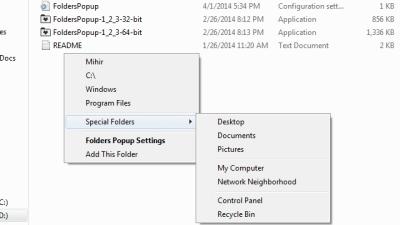
MedalFolders Makes Accessing Favorite Folders Quick And Easy
7:00AM Dustin Luck | Windows: Quick access to key folders on your system can be a big time saver. MedalFolders puts all your favourite locations two clicks away in the system tray. More »
Work
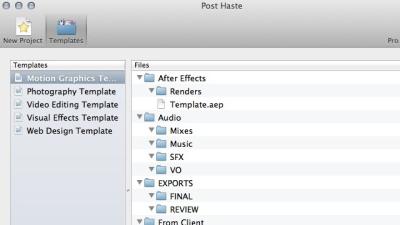
New Folder Wizard Makes Bulk Folder Creation Effortless
11:30PM Jason Fitzpatrick | Windows only: Creating a folder here and there one is all most of us usually need in a day. What if you need to create hundreds of folders? New Folder Wizard makes it a snap. More »
Organise
Gmail Gives Labels The Folder Treatment
2:05AM Kevin Purdy | Google’s data-crunching ways found that the majority of Gmail users aren’t actually using the webmail service’s labels. Starting today, those label names get higher placement, and drag-and-drop labelling aims to make Gmail’s labels more like familiar email folders. More »
Organise
Suction Consolidates Files And Folders Into One
11:30PM Jason Fitzpatrick | Windows: You have a bunch of sub-directories that you’d like to consolidate into one but don’t want to do the mouse work or write a batch script. Suction will help you condense your directories. More »
Work
Windows 7 Creates New Folders With A Hotkey
8:00AM The How-To Geek | Reader Samir writes in with an excellent tip—Windows 7 finally includes the ability to add new folders from the keyboard with a shortcut key combination. More »
Organise
Gmail Adds New Move To And Labels Drop-Downs, Autocomplete
4:12AM Adam Pash | Today Gmail will begin rolling out a new feature to improve your email labelling workflow and mitigate folder-vs.-label confusion with two new drop-down menus: Move to and Labels. Even better: Keyboard shortcuts and autocomplete are baked in. We’re not seeing the updates in our accounts yet, but the new features are pretty simple. If you want to label an email, just click the Labels drop-down or hit ‘L’ on your keyboard and start typing; Gmail will autocomplete the label as you type. The Move to menu works the same but uses ‘V’ as the quick keyboard shortcut. When you apply a new label via the Move to menu, Gmail will apply the new label and automatically archive the email—mimicking folder behaviour while still sticking with Gmail’s label structure. You’ve been able to access Gmail’s More actions menu for quite some time using the period (’.') shortcut, but the label and move to shortcuts are a godsend for keyboard lovers and folder lovers alike. The Better Gmail extension has always included the very cool Gmail Macros script, which itself added new labels by pressing ‘L’ and then autocompleting labels, so this functionality will be easy to adopt for Gmail Macros users. (Though autocomplete for navigating to a new label from the keyboard with the ‘G’ shortcut would be nice, Google.) Is your account enabled yet? Let’s hear how you like the changes in the comments. New ways to label with “Move to” and auto-complete [Official Gmail Blog] More »
Organise
Show Hidden Files With A Keyboard Shortcut
10:00PM Kevin Purdy | Te How-To Geek offers up a AutoHotKey-based application that turns hidden file showing on and off in any version of Windows. The small application runs in the background from startup, and can be set to activate with any key (Win+H being the default). For those who do a good deal of file copying and system wrangling, it’s a serious time saver that’s probably worth the less than 2MB memory taken up by the utility. For a Visual Basic-based solution of similar convenience, try CyberNet’s own utility as well. Keyboard Ninja: Toggle Hidden Files with a Shortcut Key in Windows [The How-To Geek] More »
Fix
Registry Hack Creates Default Folder Size In Vista
12:00AM Kevin Purdy | The gHacks blog details a registry hack that can be made in Windows Vista systems that sets a default folder size for opening a new Explorer window. Seems like something that would be baked into the folder or view settings, but Vista users can tell you that you can get quite random sizes from opening a new window to dig through files or check photos. The hack requires deleting a few registry keys and tweaking another, so definitely make a backup of your registry (File, Export) before proceeding. Define Default Windows Vista Folder Settings [gHacks] More »
Organise
4:35PM Angus Kidman | While Gmail users might favour the sort-nothing-and-search-when-you-need-it approach, there’s still a lot to be said for moving mail into folders, especially if it’s from a mailing list or other regular source. But how many folders should you have to ensure you’re not overwhelmed by unread mail in loads of locations? In a post discussing ways of controlling email overflow, Microsoft blogger Doug offers his suggestion:
Set up a few folders to automatically send system emails to: status reports, system issues. Set up a few folders for key projects, key emails from your managers, personal emails, FYI’s. But limit yourself. Say, no more than 12.
Personally, I have a lot more folders than that — more like 40 — though probably 10 or so of those are archival and could be collapsed without my really caring. What do you think the optimal number of email folders is? Share your thoughts in the comments.Dear Brother: This is how I tamed my email [Inside Office Online]
More »
How many email folders do you need?
4:35PM Angus Kidman | While Gmail users might favour the sort-nothing-and-search-when-you-need-it approach, there’s still a lot to be said for moving mail into folders, especially if it’s from a mailing list or other regular source. But how many folders should you have to ensure you’re not overwhelmed by unread mail in loads of locations? In a post discussing ways of controlling email overflow, Microsoft blogger Doug offers his suggestion:
Set up a few folders to automatically send system emails to: status reports, system issues. Set up a few folders for key projects, key emails from your managers, personal emails, FYI’s. But limit yourself. Say, no more than 12.
Personally, I have a lot more folders than that — more like 40 — though probably 10 or so of those are archival and could be collapsed without my really caring. What do you think the optimal number of email folders is? Share your thoughts in the comments.Dear Brother: This is how I tamed my email [Inside Office Online]
More »
Design