dual monitors

Design

MultiScape Spans A Single Image Across Multiple Desktops With Ease

1:40AM Adam Pash | Mac OS X only: We love dressing up our desktops with multi-monitor wallpapers, but if you’re a Mac user, getting one image to span multiple desktops is a pain. Free application MultiScape makes it easy. More »
Design

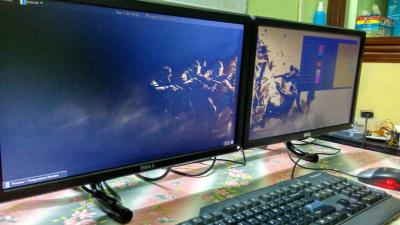
70 Wallpapers To Dress Up Your Dual Monitors

7:00AM Jason Fitzpatrick | Throw a little eye candy on your dual monitors with this roundup of stunning wallpapers courtesy of Smashing Magazine. More »

Top 10 Ways to Trick Out Your Desktop

3:00AM Kevin Purdy | For something that you look at every day of your working life, your computer desktop doesn’t get as much attention as it deserves. That’s too bad, considering that the desktop can do a lot more than display wallpaper and hold shortcut icons. From widgets to workflows, from calendars to computer stats and beyond, you can do a whole lot on your desktop without manually starting up a single program. Hit the jump for our top 10 list of applications and tweaks that make your desktop a truly useful place to land. More »

The Big Screen Display Productivity Paradox

12:41AM Gina Trapani | Techie Jeff Atwood says that while having lots of screen real estate to display more information is great, the downside to multiple or widescreen monitors is that they make you work a little harder to manage windows: More »

Do Larger Monitors Make You More Productive?

2:00AM Kevin Purdy | The Wall Street Journal reports on a recent study that asked whether more screen real estate gave workers the ability to do things faster and better. Workers were given either an 18-inch or 24-inch monitor, and the researchers found that: People using the 24-inch screen completed the tasks 52% faster than people who used the 18-inch monitor; people who used the two 20-inch monitors were 44% faster than those with the 18-inch ones. There is an upper limit, however: Productivity dropped off again when people used a 26-inch screen. Interesting findings (albeit funded by a monitor manufacturer), but I have to ask our space-savvy readers: How would you use extra screen space to make your desktop more effective, if you had the chance? What can you get done with a bigger monitor than with, say, a multi-desktop app like OS X Leopard’s Spaces (or its Windows and Linux equivalents)? Tell us what you think, and share your own story of making the most of what you’ve got, whether it’s laptop-sized or home theatre proportions. Bigger Computer Monitors = More Productivity [The Wall Street Journal] More »

Make the Most of Your Dual Monitors

2:00AM Gina Trapani | Now that you’ve added another monitor to your computer setup, you’ve got double the screen real estate to get things done—but are you putting all that space to good use? Whether you want to stretch your desktop wallpaper or taskbar across two monitors or perfectly snap all your windows into place every time, there are a few utilities that can help you make the most of every last pixel of your dual monitors. Let’s take a look. More »