Work

Titanium Backup Adds Box.net Syncing

Android: If you managed to pick up 50GB of storage with a Box.net account and your Android phone, here’s one way you can make use of it. Titanium Backup, our favourite backup app for Android has updated to support Box.net accounts, so any backups you take of your device can be automatically uploaded to the cloud.


August 21, 2011
Work

Download Windows 7 ISOs To Reinstall Without Restoring Your System

Windows: If you’ve just bought a new laptop or pre-built desktop running Windows it’s more than likely you do not have a disc with the operating system. You may have a restore disc or hard drive partition that will restore your computer to factory settings, but having an actual disc to install Windows is handy if you need to reinstall just your operating system.


November 8, 2008
Work

GDataCopier Syncs Google Docs to Your Desktop

Windows/Mac/Linux: Looking for a quick way to upload and download files from a Google Docs account? If you’re familiar with command line tools, check out GDataCopier. Once I installed a new version of Python (2.5 or higher required) and the GData API for Python, it was just a matter of running gdata-cp.py and I had every document in my Google Docs account backed up to a folder on my desktop. It would also work great for uploading a batch of documents to Google Docs. And of course you can set it up with a crontab to schedule regular backups. Looking for alternatives to futzing in a terminal window? Windows users can use DocSyncer or sync between OpenOffice.org and Google Docs with OpenOffice.org2GoogleDocs. GDataCopier is a free download for Windows, Mac and Linux, requires Python to run. Thanks, TerrenceMarburger!

GDataCopier


November 4, 2008
Communicate

Archive Your Texts With iPhone Backup SMS Extractor

If you don’t like the idea of your iPhone’s SMS logs getting trapped in iTunes, or you just want have a plain-text copy to play around with, you can upload iTunes’ binary archive to the iPhone backup SMS extractor webapp and get back the text. It’s particularly useful for iPhone owners who use Windows to sync and or Mac users who can’t get Syphone to work. But the grep command used to find the archive on your hard drive will work equally well in Mac OS X Terminal. This method is not as complicated as jailbreaking your phone to pull SMS data into a spreadsheet, but since you’re sending your data to a web site, it’s not as private or secure. Thanks, WareNuddles! iPhone backup SMS extractor


December 1, 2007
Uncategorized

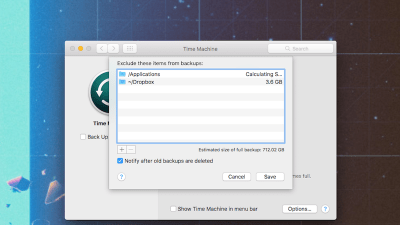
Schedule Your Time Machine Backups with TimeMachineScheduler

Mac OS X only: Reschedule your Time Machine backup intervals from the default (which backs up once an hour) to a more appropriate schedule to fit your needs—anywhere from every one to twelve hours. Granted, the per-hour backup schedule means you’re that much more likely to have all your data backed up in case you run into a problem, but some people on older systems have reported performance slow-downs when Time Machine is backing up. In those cases, TimeMachineScheduler might be the perfect solution. TimeMachineScheduler is freeware, Mac OS X Leopard only.

TimeMachineScheduler [via Cool OSX Apps]