Floods, bushfires, earthquakes, nuclear disasters — if those events in 2011 didn’t demonstrate the importance of having a good backup and disaster recovery solution, I don’t know what would. But a recent survey suggests that plenty of businesses still haven’t got their backup strategy sorted. More »
The internet can bring you a lot of joy, but it can also turn into a world of pain the moment you make one stupid mistake. Perhaps you’ve been feeding the trolls, using “password” as your password, or selling your soul for access to a “free” web app. Your dumb mistakes can come back to bite you in the arse if you aren’t careful. Here’s how you can save yourself from yourself online. More »
Chances are you have a backup regime in place to ensure you don’t lose crucial work information from your computer systems. But do you have a plan that includes where everyone will work in the event of a major emergency? One recent study suggests the answer is probably “no”. More »
A few months back, I was looking to migrate my aging Dell M1330 from its 160GB magnetic HDD to a Crucial M4 128GB SSD. I was reluctant to do a straightforward backup and clean install of Windows 7 onto the SSD, including reinstalling applications, if I could avoid it. So, I did some Google investigating and tried several open source options, before settling on Clonezilla. Sadly, after fluffing around for hours trying to configure a backup, Clonezilla would either hang or stop mid-way, a painful experience when backing up over 100GB of data. Little did I know there was a much easier way to get the job done. More »
Bushfire season has well and truly kicked off in Australia. The big technology lesson to remember? Make sure you’ve got a good backup strategy in place that includes both physical and offline options — while drive recovery techniques are impressive these days, bushfires represent one of the most challenging scenarios, since they can literally melt your hard drive. More »
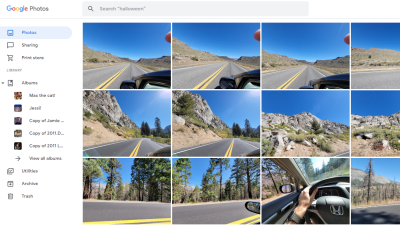
Working with the same files in multiple places used to be a hassle. You’d have to make sure to bring the file with you, email it to yourself, or save it in a place you could get to it later. Now, there are a number of online file storage and syncing services that will make your data available on as many computers as you like. Here’s a look at five of the best of those services. More »
When we told you guys about Backify, we mentioned that 512GB for free seemed like too good of a deal to be legit, even if they were re-selling the Livedrive service. Turns out we were right, and Livedrive has since cut off access to Backify. More »
OS X Lion: One of the problems with iCloud is that it only works if you’re using the Apple programs it supports, but Macworld forum poster CHM figured out a way to sync and backup your documents across computers without using iWork. More »