App Launchers

Work

Windows 7 App Launcher Opens Multiple Apps With One Click

11:00PM January 11, 2012 | Alan Henry

Windows 7: When you sit down at your computer in the morning, you probably have a handful of applications you open at once to start your day. Windows 7 App Launcher (7APL) can open select applications or groups of applications with a single click, or you can bind application groups to key commands and open all of your “work apps” or “gaming apps” with a keystroke. More »


Work

Use iOS’ Notification Center As A Quick App Launcher

11:30AM December 30, 2011 | Whitson Gordon

iOS still doesn’t have quick access to apps like certain Android launchers, but GigaOm notes that you can use the Notification Center to quickly access certain apps. Here’s how. More »


Work

Tab Launcher Keeps Your Mac’s Apps In Categories For Quicker Launching

10:30PM June 17, 2011 | Matthew Rogers

Mac OS X: Tab Launcher is an app launcher and organiser that uses manila folder-style coloured tabs as app drawers, each meant to be for a different category of apps (like System, Games or Writing). Using Tab Launcher allows you to keep little, if anything at all, in the actual OS X Dock, leaving it free to only show which apps are currently open. More »


Work

New Quicksilver Release Adds Automatic Updates

Flag
10:30AM April 20, 2011 | Angus Kidman

Mac OS X: Quicksilver has long been a favoured application launcher for Mac users who want ultra-customised keyboard control. While active development ceased for quite a few years, activity resumed last year and has continued apace, with version ß59 hitting servers last week. More »


Work

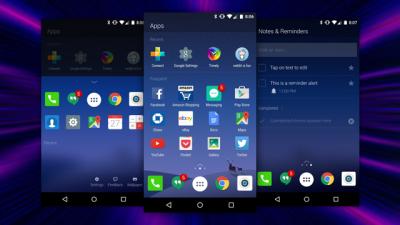
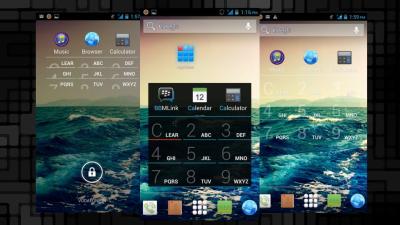
SwipePad Is A Quick Launcher For Your Favourite Android Apps

12:00AM April 17, 2011 | Justin Willhite

Android: SwipePad for Android is a simple way to get to your frequently-used apps quickly, no matter what you’re doing. More »


Work

Create Global Application Shortcuts In Linux

1:00AM April 2, 2010 | Kevin Purdy

Nearly everything can be edited somehow in a Linux system, and that includes what each key press does. The gHacks blog shows us how to create global application shortcuts that fire up Firefox, a text editor or anything you’d like. More »


Work

Quicksilver Releases Update, Improves Performance

6:30AM December 3, 2009 | Adam Pash

Mac OS X only: Universal application launcher and then some Quicksilver has a pretty shaky future, so we were both surprised and thrilled to find a new release of Quicksilver boasting, among other things, improved performance. More »


Work

MouseExtender Launches Programs With Two Clicks

11:00AM November 26, 2009 | Whitson Gordon

Windows only: The Windows 7 taskbar is pretty convenient, but if you are running an older version of Windows (or are just looking for a cool mouse-based launcher), MouseExtender is a sleek program that launches with one click of the mouse. More »


Work

Five Best Application Docks

4:00AM November 2, 2009 | Jason Fitzpatrick

Remember the days of digging through folders of shortcuts and menus to launch applications? These days many users prefer customisable, attractive docks for launching and keeping track of their favourite apps. Here’s a look at five of the most popular docks. More »


Work

Windows Access Panel Adds Quick Access To System Utilities

7:00AM October 21, 2009 | The How-To Geek

Windows only: Portable system utility launcher Windows Access Panel adds shortcuts for 48 built-in Windows utilities right into a single dialog window, so you don’t have to remember how to type netplwiz into the start menu anymore. More »